For owners in the trades, with or without a crew
Estimate at the job.
Invoice without retyping.
Build the estimate on your phone and text the link from your own number. Your customer approves from the link, and you turn the estimate into the invoice.
$19 a month for your whole business.
Crew logins included.
30 days free. No card needed. Your price stays $19 while you stay subscribed.
- Built for one-off jobs in any trade: quote it, do the work, send the invoice.
- Runs in your phone's browser. Nothing to install.
- Needs a signal to load and save.
One job, start to finish
From the estimate to the invoice.
Dana needs her panel upgraded to 200 amps. Here is that job on your phone.
The estimate
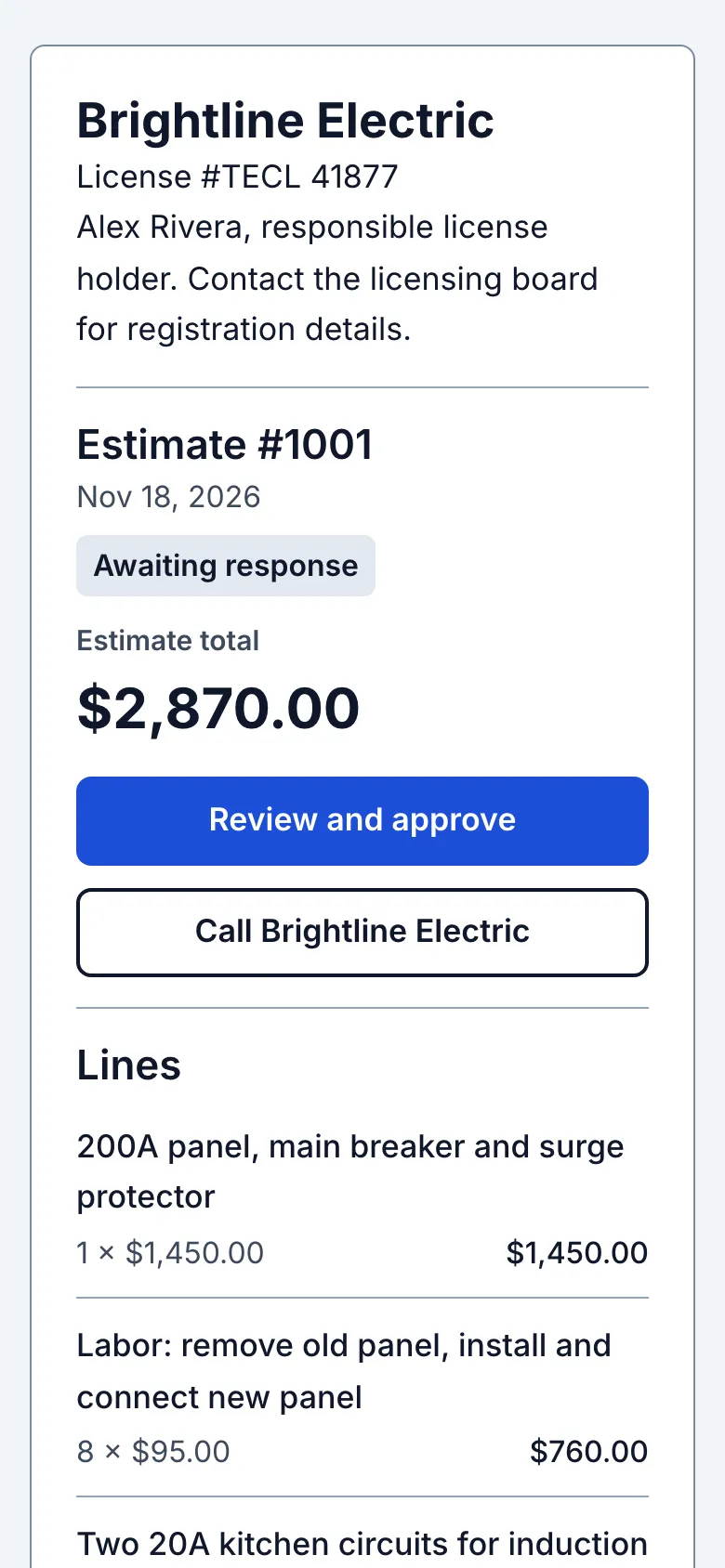
Build it on your phone, at the job
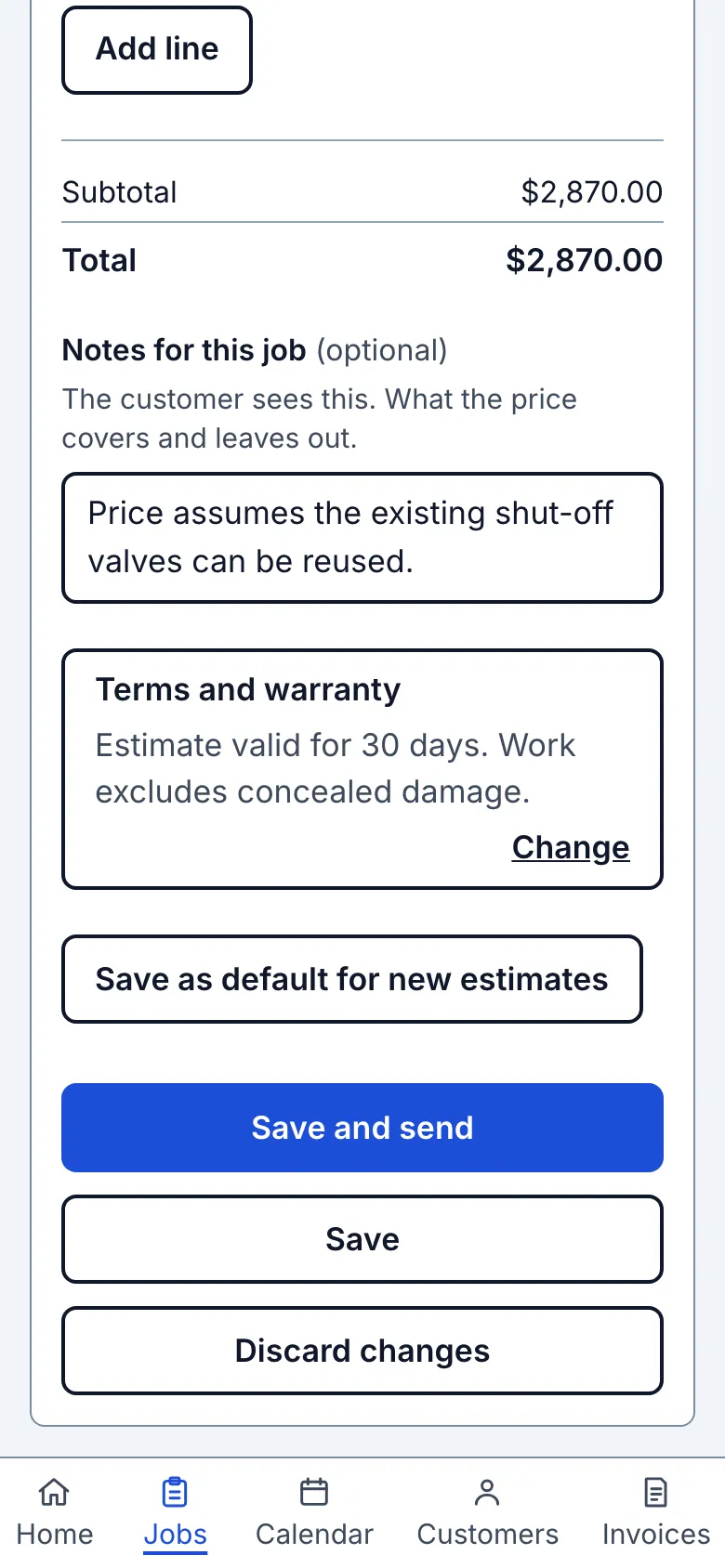
Add each line on your phone while you're still standing at the panel, and watch the total add up. Tap Save and send, and text Dana the link from your own number.
The yes
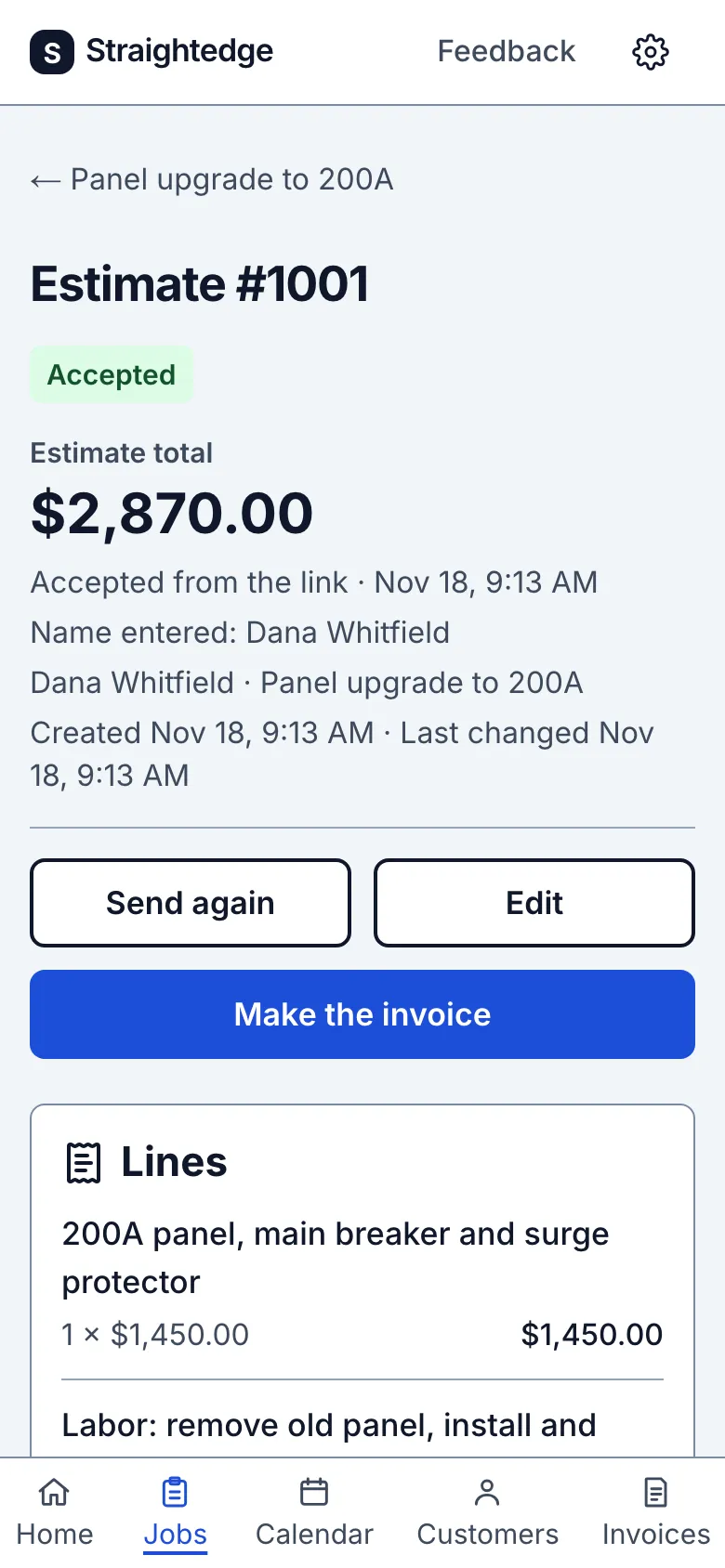
She approves from the link
Dana opens your link with no app and no account, and taps Approve. The estimate shows the time and the name she entered. You also get an email.
The visit
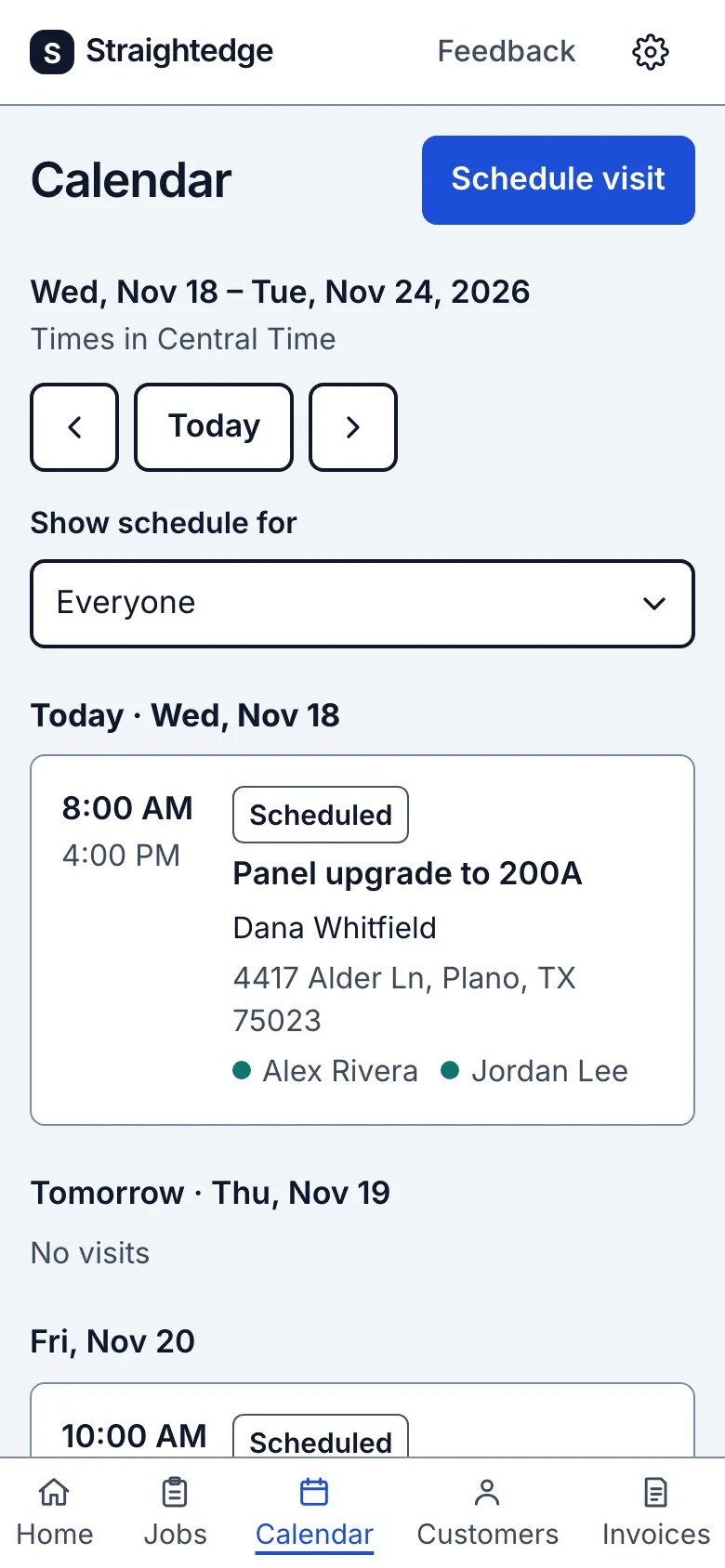
You put it on your calendar
Book the visit for the day of the work and pick who's going. Nothing is booked until you book it.
The invoice
Made from the estimate, without retyping
The invoice comes from the estimate she approved, lines and all. It stays in what you're owed until you record her payment.
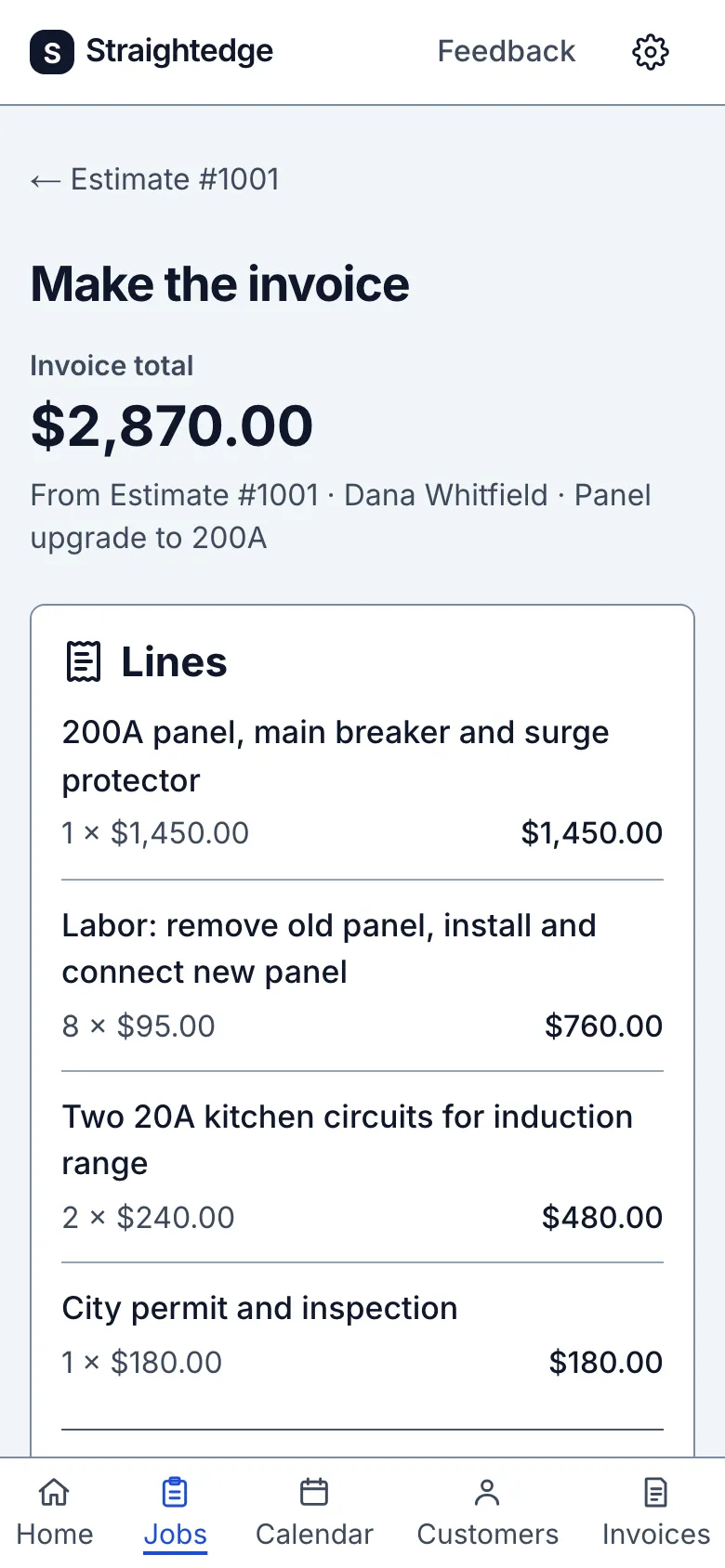
Every step works today, and each screen is the real app. The business, Dana and her job are a made-up example.
One business. One plan.
$19 a month
For your whole business, crew included, any size. Start with your next real job and see how it fits.
- One plan with every feature. No per-user fees, no add-ons
- Crew logins, as many as you need
- Job photos, labelled Before, During and After
- Optional one-way sync to QuickBooks Online
- Help getting set up from a real person
- If you join at $19, you keep $19 while you stay subscribed
30 days free. No card needed. No contract: cancel any time in the app. Plus any sales tax that applies.
With a crew
Give your crew their own login.
Invite each person with a link. Crew see only the visits you assign them. They start and finish them, and add notes and photos. They don't see prices.
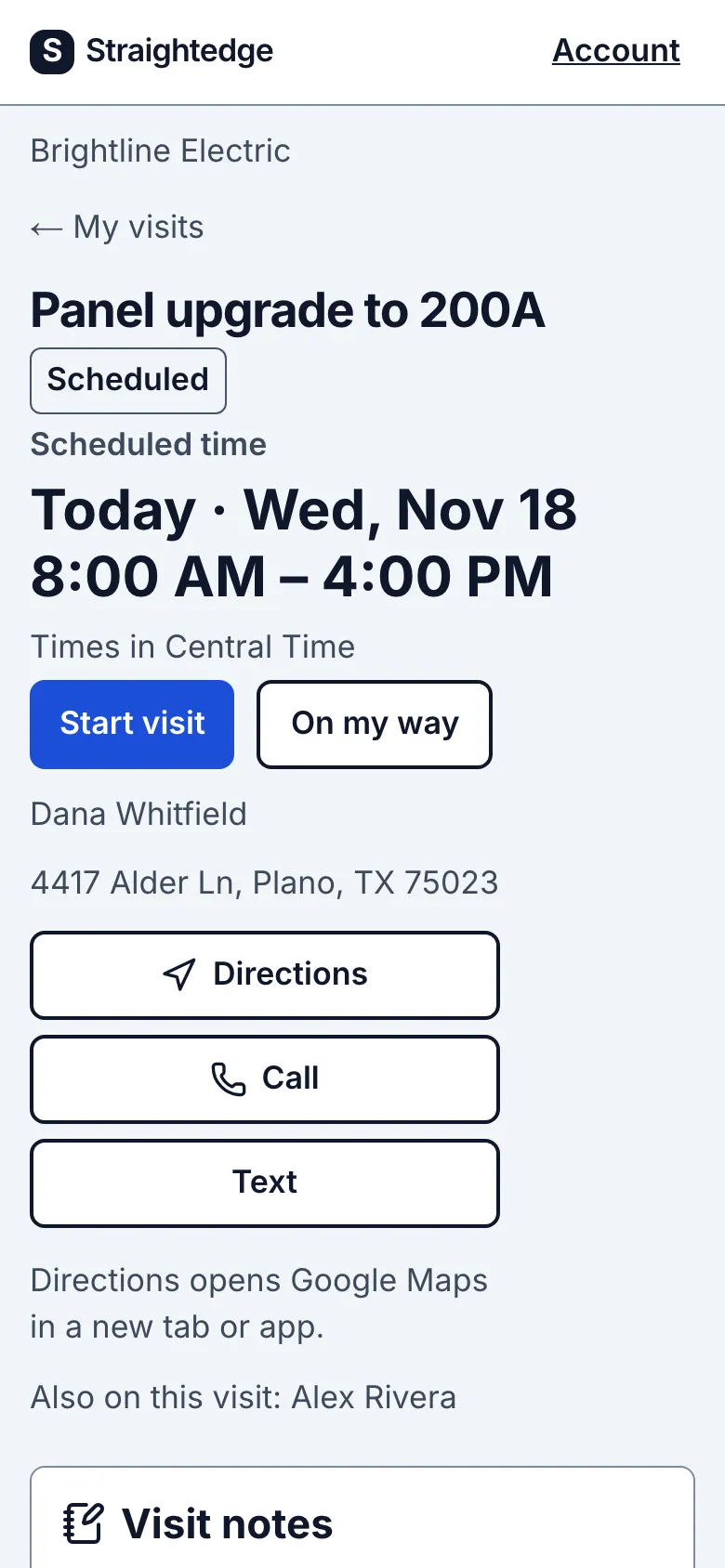
Good to know before you sign up.
Record payments, or take cards.
Customers pay you the way they do today and you record each payment, in full or in part. They can also pay by card from the invoice link through your own Stripe account, which is off until you set it up.
Texts go from your number.
The app writes the message and you tap Send, so customers see a number they know.
It needs a signal.
It loads and saves over a connection. It doesn't work offline.
Bring your customers with you.
Import your customer list from a spreadsheet file, including one exported from the app you use now.
Set up with a real person.
Our team helps you get your first real job in, on your phone.
Leave when you want.
No contract. Cancel any time in the app. If your trial ends, nothing is deleted and links you've sent keep working.
A few things you might be wondering.
How does the free trial work?
You get 30 days free, and no card is needed to start. If you subscribe during the trial, you keep the rest of your free days: your first charge is on the day your trial would have ended.
What happens when my trial ends?
If you haven't subscribed, you keep full use for 7 more days. Then your account becomes read-only: you can still see, print and share everything, and links you've sent customers keep working. Nothing is deleted. Subscribe any time to pick up where you left off.
Can I cancel?
Yes, any time, in the app. You keep access until the end of the month you paid for. We don't refund part of a month, but we always refund a charge made in error.
Do I need to install anything?
No. It runs in your phone's browser. You can add it to your home screen so it opens like an app.
What does my customer need?
Just the link you send. No account and nothing to install. They can approve or decline the estimate from the link, and print it or save it as a PDF.
Do I have to use QuickBooks?
No. It's optional. If you connect QuickBooks Online, invoices, their customers and payments go to it from Straightedge. It's one way: nothing comes back from QuickBooks.
Who sees my job photos?
You and the people you give access to. Crew see the photos on jobs they're assigned to. Photos stay on the job in Straightedge, with location data removed. They aren't sent to customers or to QuickBooks.
Does it remind my customers?
Only if you turn it on. A reminder email the day before a visit, and follow-ups on estimates and unpaid invoices, are off until you switch them on in Settings.
Who answers when something goes wrong?
Our team. Write to support@getstraightedge.com, or use Send feedback inside the app. We read every message.
Do the paperwork where you do the work.
Start with your next real job. 30 days free, no card needed, $19 a month after that.