The calendar
Who can do it
Owners.
1. The calendar
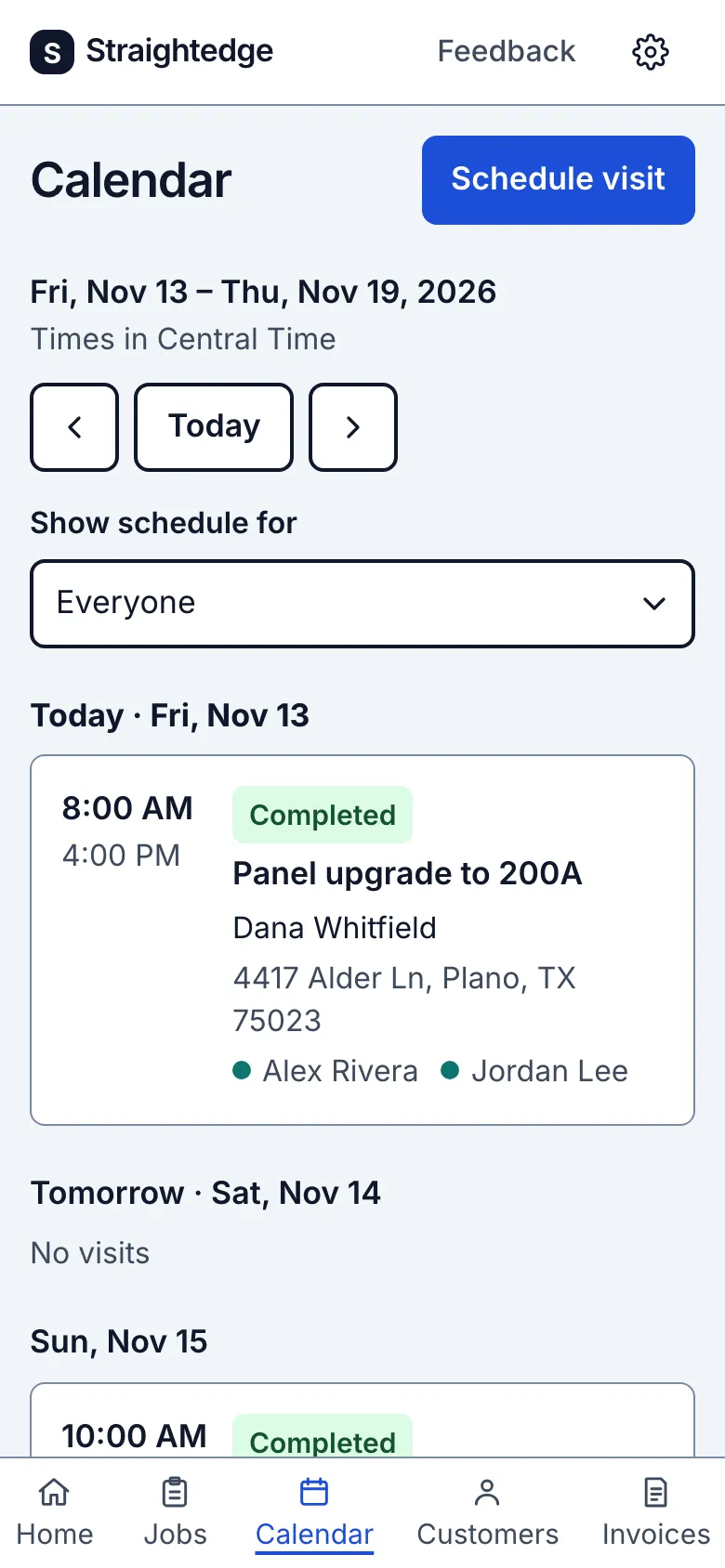
The Calendar tab shows seven days from today, a day at a time, with Today and arrows to move a week. Show schedule for narrows it to one person, or to Unassigned visits. Each person has a color, set on their Team page, shown beside their name. Wider screens show seven columns only when the calendar itself has enough room; laptops keep the readable day-by-day agenda.
A visit marked No set time is booked for its date without a promised arrival time. It appears before timed visits on that day. The visit page says Scheduled date, then the date and No set time; the job and visit lists keep the same wording. The crew sees earlier unfinished dates under Still open, without a late label.
What you see after
A visit picked from offered times shows “Arrive 8 AM–12 PM · ~1 h”. The arrival range is the promise to the customer. The booked block starts at the window start and lasts the estimated work length, so check the rest of the day when planning your route.
Still stuck? Email support@getstraightedge.com