Join from an invite link
Who can do it
The invited person, using the email the owner entered. This also applies to a full access partner.
1. Open the link
Open the link the business shared with you. The Join a team page shows the business, your name and access level before you sign in.
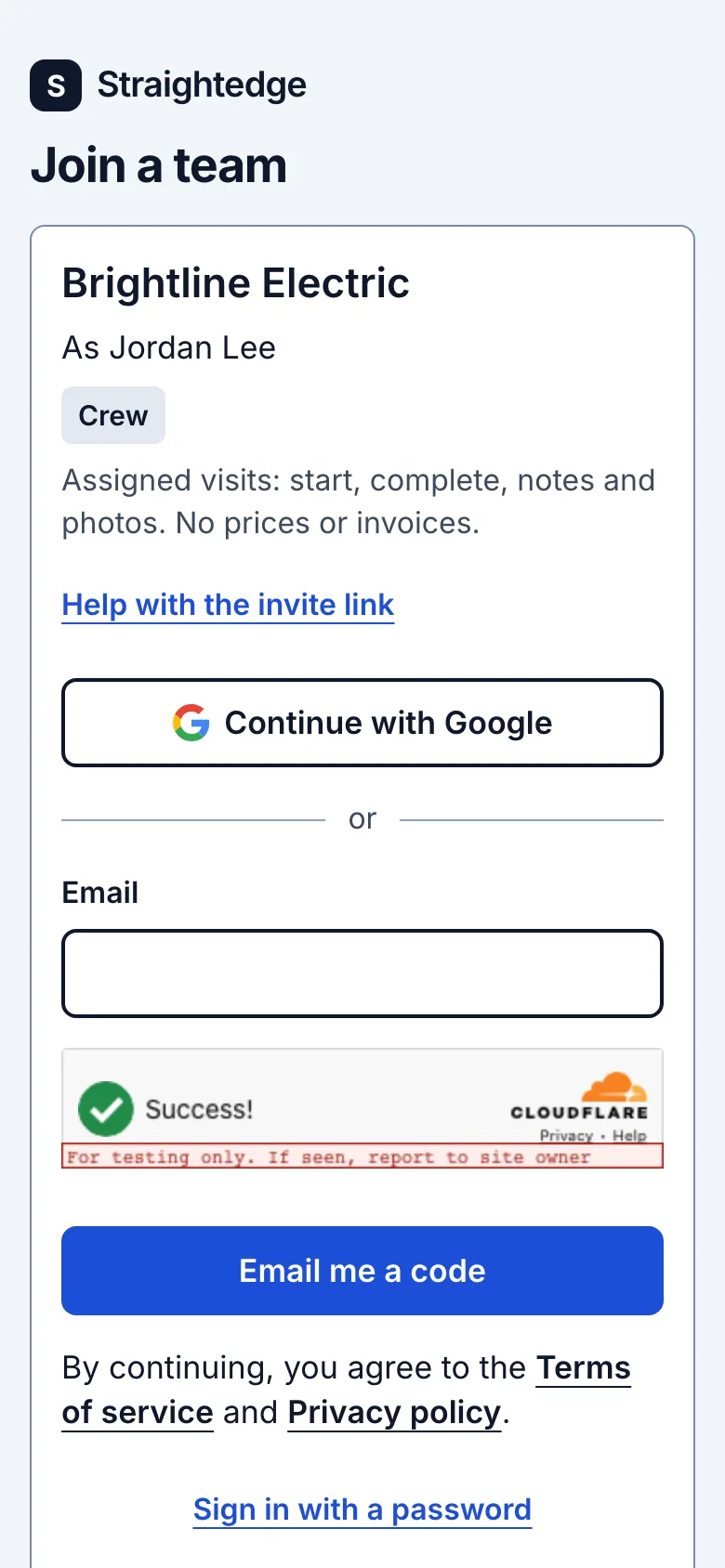
2. Sign in
Use the invited email. Choose Continue with Google, request a code by email, or use Sign in with a password if you already have one. Sign-in alone does not accept the invite.
3. Accept the invite
Review the business and access shown on the page, then tap Join. Crew land on My visits; full access partners land on Home.
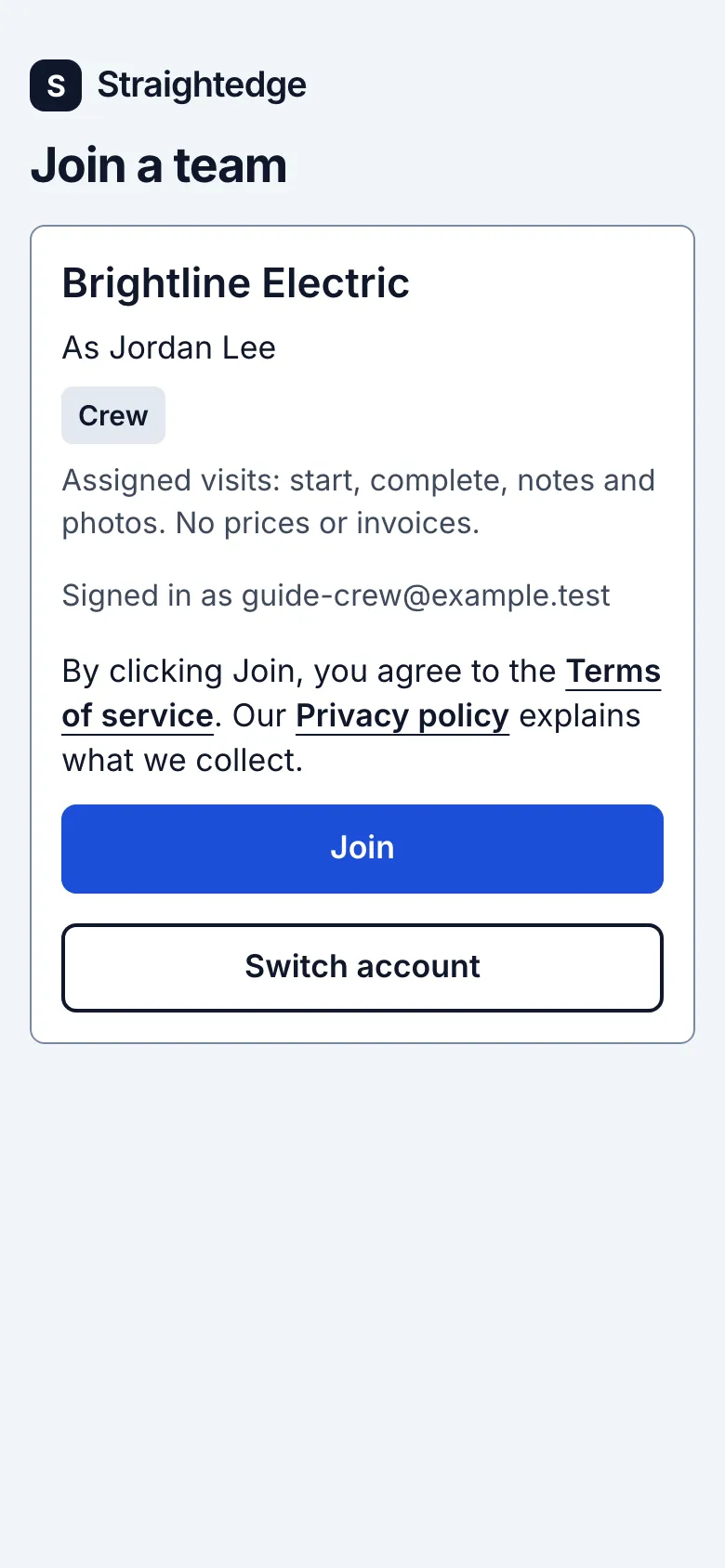
What you see after
Your login is connected to the business. Crew see My visits and only their assigned visits.
Limits
- A link works once, expires after seven days and belongs to the exact invited email. Signing in with another email cannot use it.
When it goes wrong
- An expired, canceled, used or invalid link asks you to get a new link from the business. If the account is wrong, use Switch account. If the invite check fails temporarily, use Reload invite; if invites are paused, use Try again later.
Still stuck? Email support@getstraightedge.com