For small jobs around the house
Estimates and invoices for handyman work
Put every task on one estimate while you're still at the house. Text the link from your own number, and make the invoice from the estimate when the work is done.
$19 a month for your whole business.
Crew logins included.
30 days free. No card needed. Your price stays $19 while you stay subscribed.
Built for a list of small jobs at one house.
Straightedge fits handyman work that you quote, do and invoice. You list the tasks, your customer approves from a link, you book the visit, and the invoice comes from the estimate. Your customer can pay it by card from the link, once you have set up online payments.
It does not keep a saved price list, take a deposit on the estimate or repeat a visit on a schedule.
Jobs like these:
- Mounting a TV or shelves
- Patching and painting drywall
- Fixing a door that sticks
- Caulking a tub or a window
- Assembling furniture
- A list of small repairs before a sale or a move-out
An example job, start to finish
Follow one job, from a new customer to paid.
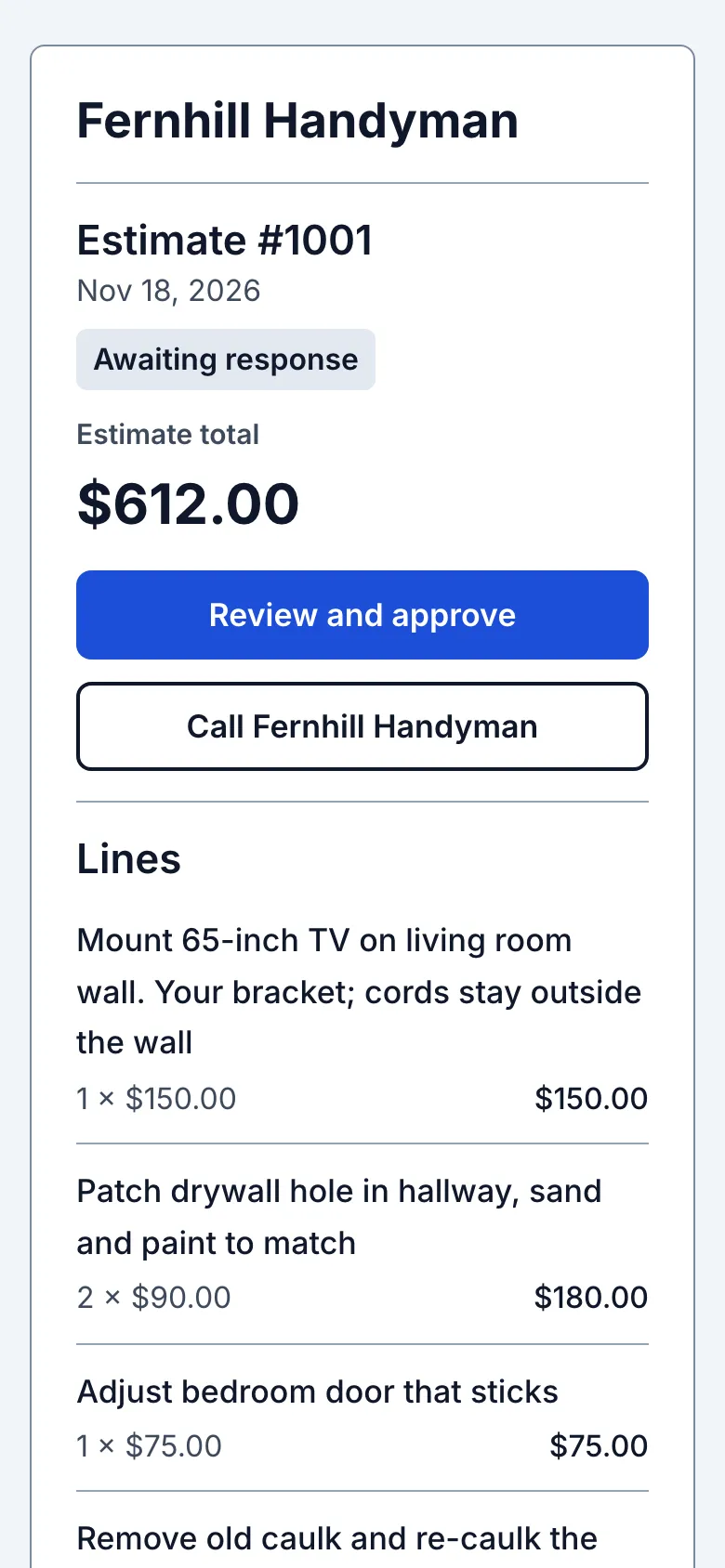
Here is a made-up example. Linda has a list of four small jobs: a TV to mount, two holes in the hallway wall, a bedroom door that sticks and a tub that needs new caulk. First the estimate you would send her, then the job in six steps, each with the screen you would see on your phone.
The estimate for Linda's list:
Fernhill Handyman
| Mount 65-inch TV on living room wall. Your bracket; cords stay outside the wall | $150.00 |
| Patch drywall hole in hallway, sand and paint to match2 × $90.00 | $180.00 |
| Adjust bedroom door that sticks | $75.00 |
| Remove old caulk and re-caulk the tub | $120.00 |
| Materials: patch kit, joint compound, paint, caulk | $42.00 |
| Trip charge | $45.00 |
| Total | $612.00 |
|---|
The same job in six steps:
The job
Start with the customer and the work
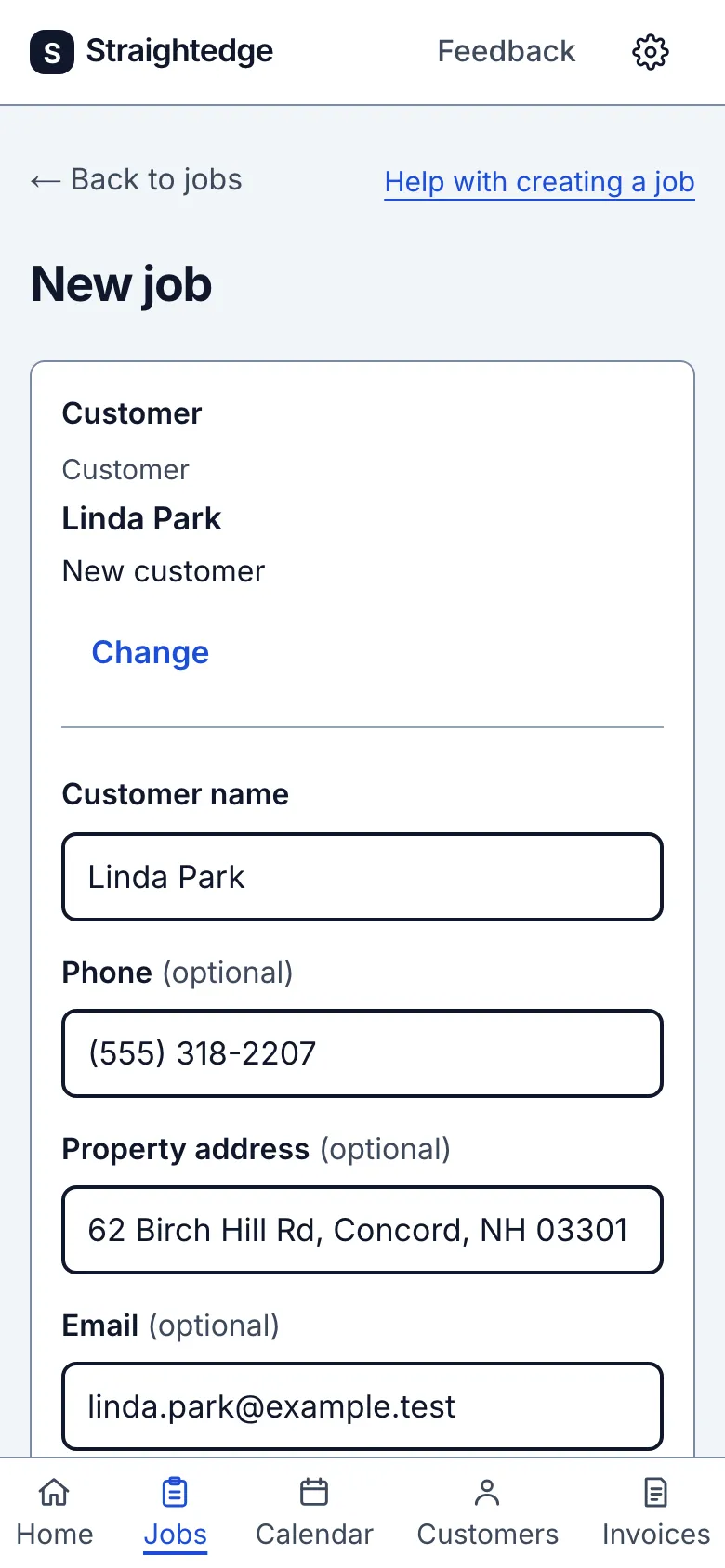
Tap New job and type Linda's name and what needs doing. She is new, so she is saved as a customer along with the job. Only her name is needed. Add her phone and address and you can text her and get directions later.
The estimate
Put the whole list on one estimate
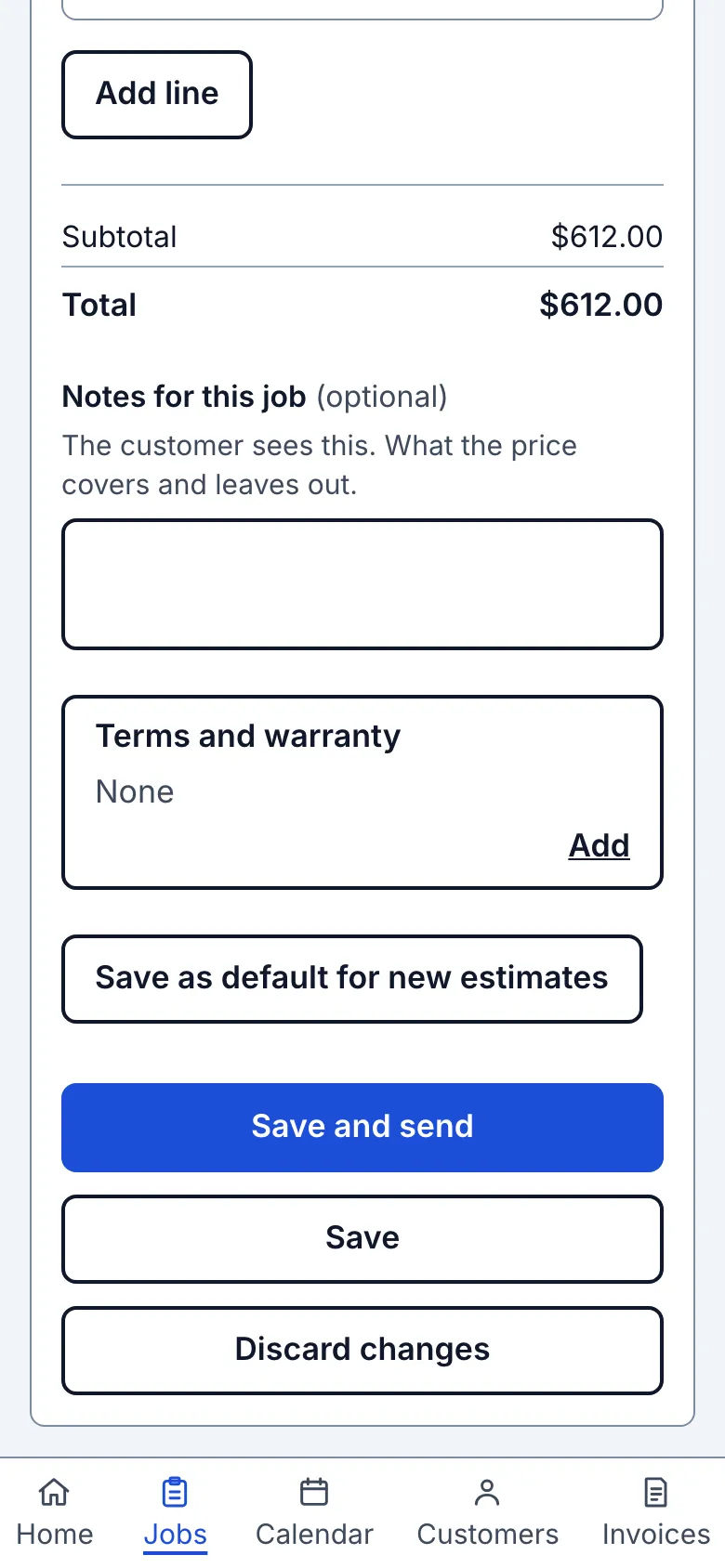
Choose Quote it, then add a line for each task, one for materials and one for the trip. A line is a description, a quantity and a price, so you can charge by the job or by the hour. The total adds up as you type.
The yes
She approves from the link
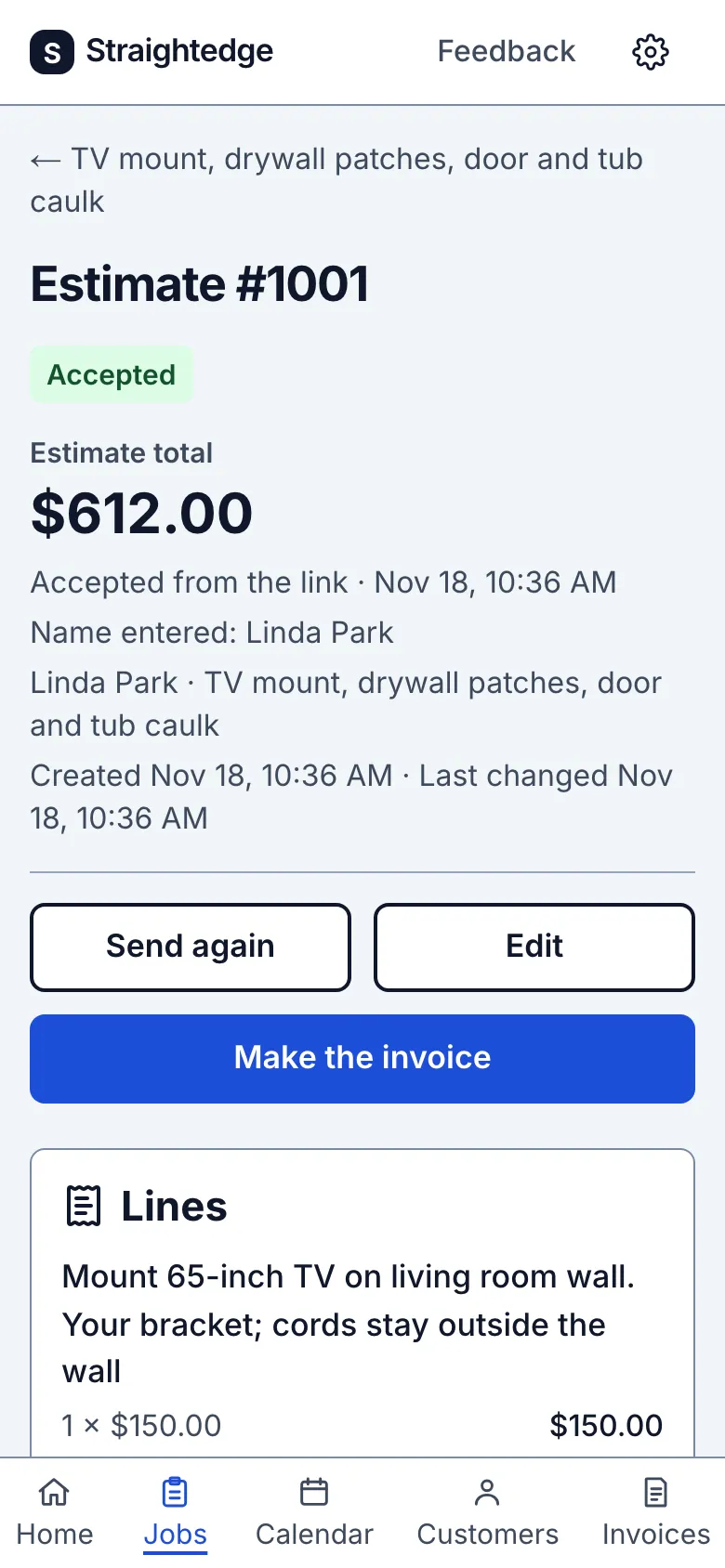
Tap Save and send, and text Linda the link from your own number. She opens it with no app and no account, enters her name and taps Approve. You get an email, and the estimate shows her name and the time.
The visit
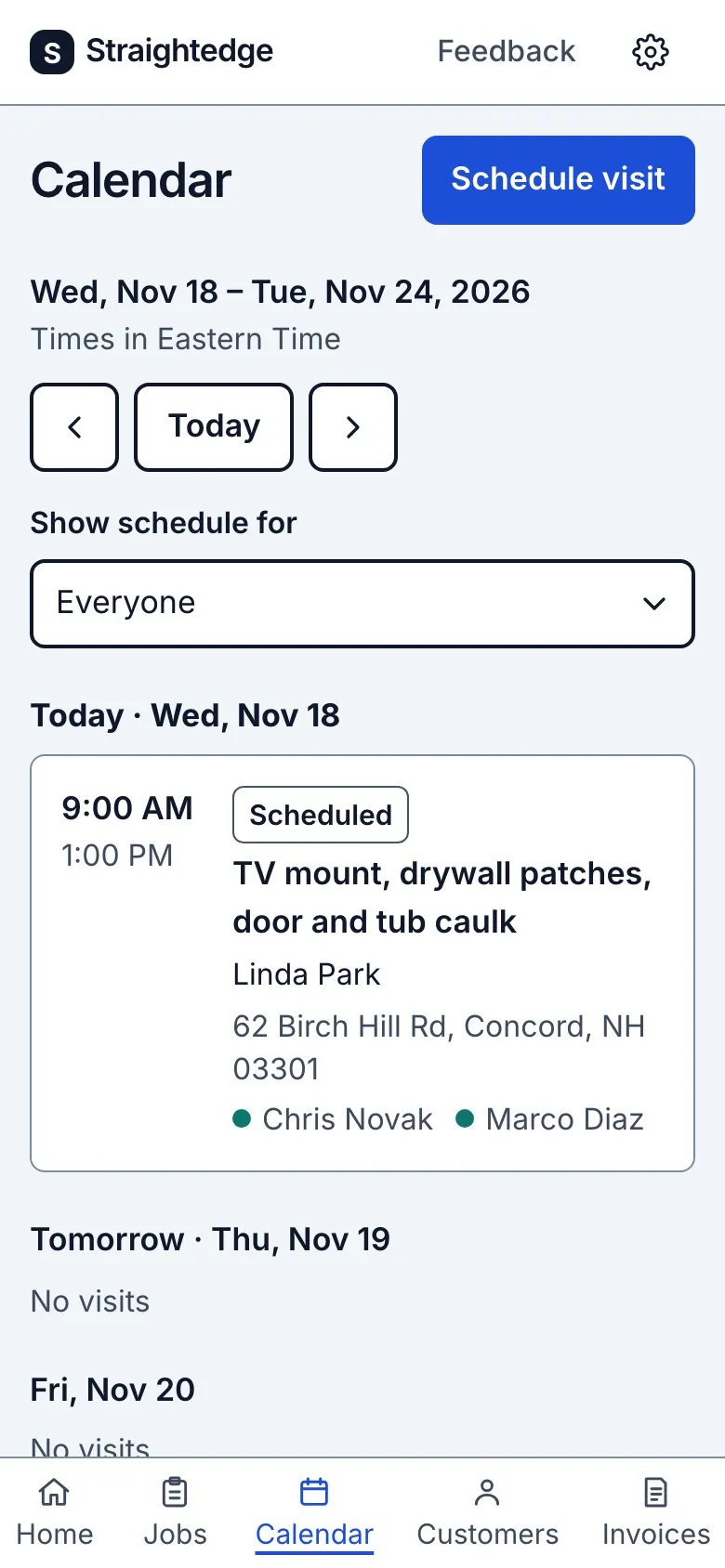
You book the visit and add your helper
Nothing is booked until you book it. Pick the day and time yourself, or send Linda a few times to choose from, and add Marco to the visit. Marco signs in on his own phone and sees the visit, the address and your notes. He does not see prices.
The invoice
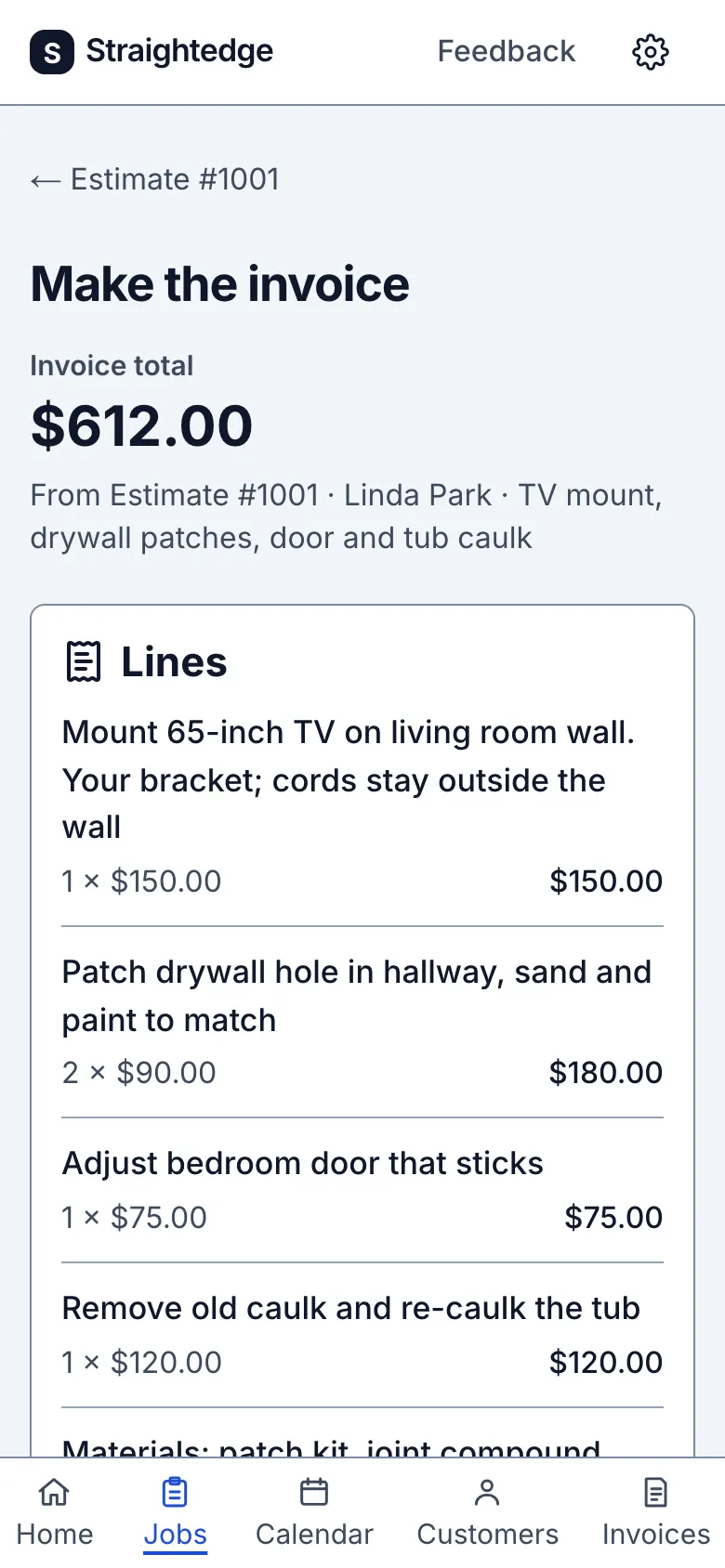
The invoice comes from the estimate
When the work is done, make the invoice from the estimate Linda approved. The lines carry over, and you check them before you make it.
Paid
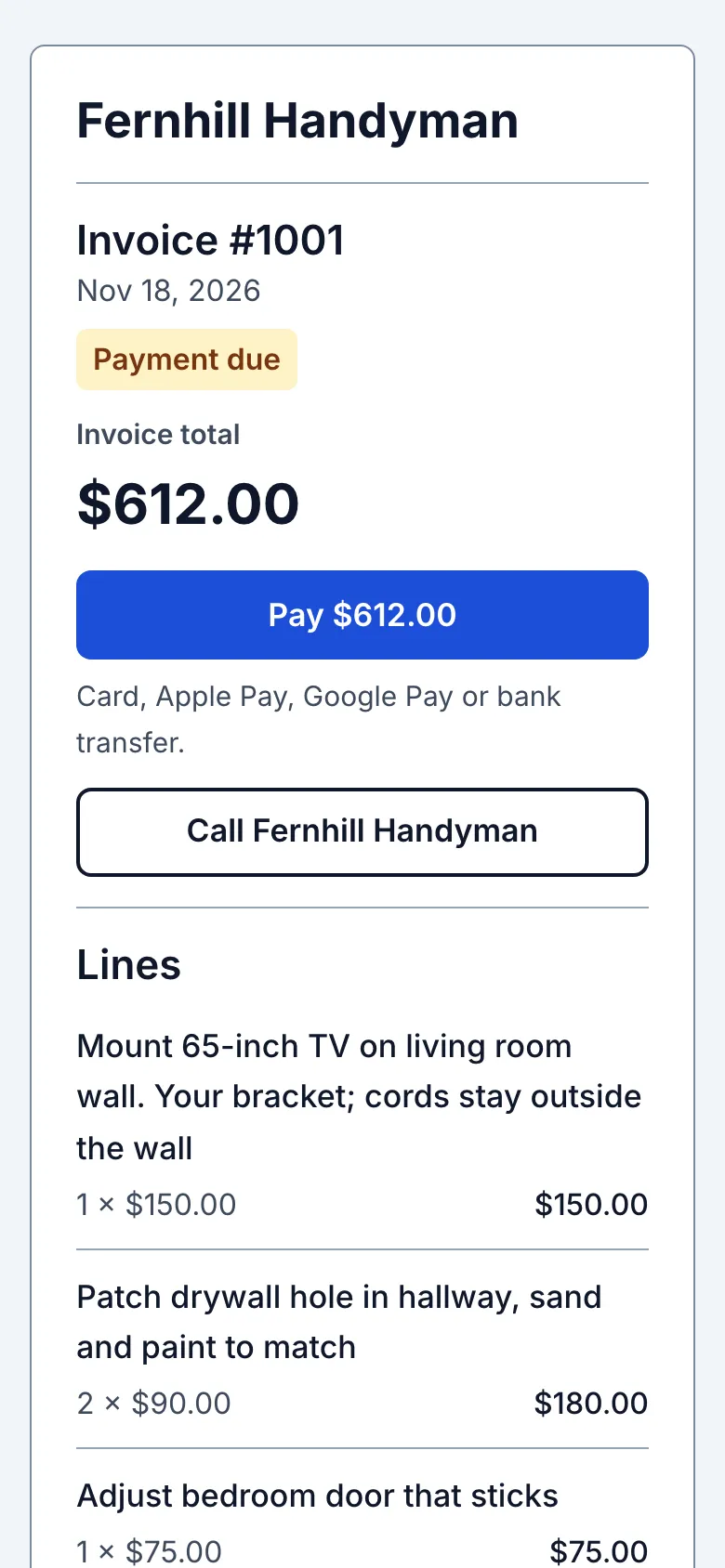
She can pay from the invoice link
Send Linda the invoice link. She can pay by card, Apple Pay, Google Pay or bank transfer. This needs your own Stripe account and is off until you set it up. If she pays by check or cash, record it on the invoice.
Every step works today, and each screen is the real app. Fernhill Handyman, Linda and her job are a made-up example. The prices show how an estimate is laid out; set your own.
How handyman work fits.
Straightedge runs in your phone's browser. Nothing to install. It needs a signal to load and save.
Several tasks on one estimate
Add each task, the materials and a trip charge as lines. Lines you used before come up with the price you charged last time.
Included
Help: Write an estimateA yes before you buy materials
Text the link from your own phone. Your customer approves or declines without an account, and you get an email.
Included. You press Send; Straightedge does not send texts.
Help: Send an estimateShort jobs and a helper on one calendar
Book each visit and pick who is going. If someone is already booked at that time, you are warned before you save. Crew logins cost nothing extra, and crew do not see prices.
Included
Help: Schedule a visitPaid when the work is done
Make the invoice from the estimate. Record cash or a check, in full or in part. Or let your customer pay by card from the invoice link.
Included. Card payments need your own Stripe account and are off until you set it up.
Every customer and their past jobs
Each customer has a page with their details, your notes and every job you have done for them, with Call, Text and Directions buttons. Bring your customer list in from a spreadsheet, or from a Jobber export.
Included. The import brings customers, not their old jobs or invoices.
Help: Import customersYour books in QuickBooks Online
New customers, invoices and payments go to QuickBooks Online, so you do not type them twice. It goes one way, from Straightedge to QuickBooks.
Optional. Off until you connect QuickBooks Online. It does not work with QuickBooks Desktop.
Help: Connect QuickBooksReminders, if you want them
Straightedge can email your customer the day before a visit, and follow up on an estimate or an unpaid invoice.
Off until you turn it on in Settings. Email only.
What Straightedge does not do for handyman work.
No saved price list, and no choices on one estimate.
It suggests lines you used before with their last prices. To offer two ways to do a job, send two estimates.
No deposit request on the estimate.
Planned, no date. Today you can make a separate invoice for the deposit.
No visits that repeat on a schedule.
You book each visit yourself.
One customer record is one property.
For a landlord or a property manager, add a customer for each address.
No time tracking or job costing.
Starting and finishing a visit is not a timesheet.
No offline use, and no app in the app stores.
It needs a signal to load and save.
If that is most of your work, Jobber or Housecall Pro will serve you better.
One business. One plan.
$19 a month
The same price with a helper or without one. No per-person charge.
- One plan with every feature. No per-user fees, no add-ons
- Crew logins, as many as you need
- Card payment fees are Stripe's. Straightedge adds no payment fee today
- Job photos, labelled Before, During and After
- Optional one-way sync to QuickBooks Online
- If you join at $19, you keep $19 while you stay subscribed
30 days free. No card needed. No contract: cancel any time in the app. Plus any sales tax that applies.
Questions people ask
Can I charge by the hour instead of by the job?
Yes. A line is a description, a quantity and a price, so 2.5 hours at your rate is one line. Straightedge does not time the work for you.
Will it remember what I charged last time?
It suggests lines from your past estimates and invoices with the last price you used. It does not keep a separate price list.
Can my helper see what I charge?
Not with a crew login. Crew see their assigned visits, notes and photos, without prices or invoices.
What if my customer adds a task after approving?
Edit the estimate and send it again. The earlier approval is cleared and your customer approves the new total. Do this before you make the invoice, because invoice lines cannot be changed afterwards.
Does my customer sign the estimate?
They enter their name and tap Approve, and the estimate shows the name and the time. There is no drawn signature.
Where do I write what is and isn't included?
In the line's description. An estimate has no separate box for notes or terms.
Can I keep before and after photos?
Yes. Photos stay with the job, labelled Before, During or After. Your customers do not see them.
Start with your next list of small jobs.
30 days free, no card needed, $19 a month after that.
Start free trialDoes Straightedge fit my work?Last updated