Record a payment
Who can do it
Owners.
1. Open the payment review
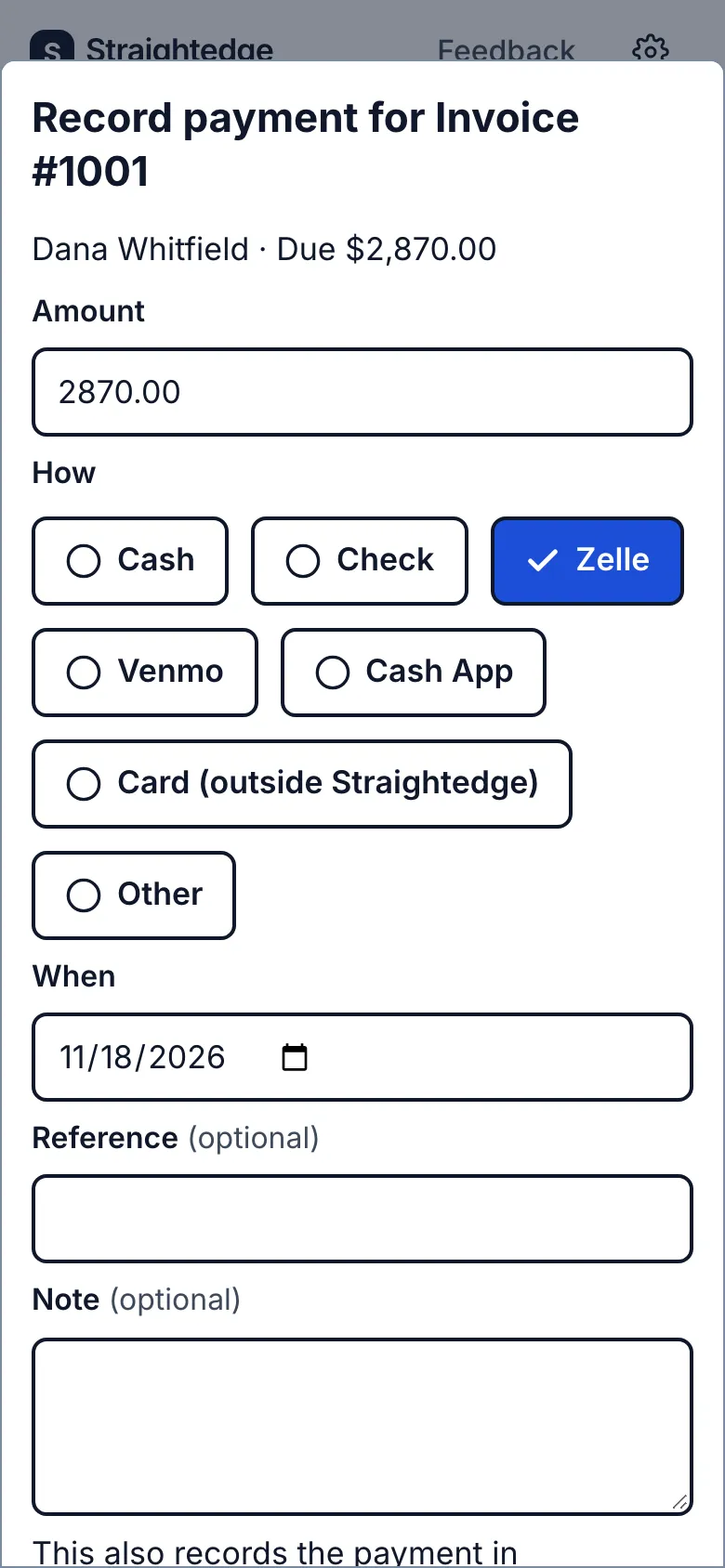
On the invoice, tap Record payment. The review shows the amount due and, when connected, that the payment also goes to QuickBooks.
2. Enter what arrived
Check Amount, choose How, check When, and add an optional reference or note. For a part payment, change the amount to what you received.
3. Confirm the payment
Tap Record with the amount shown on the button. The invoice and customer link update. On the Send page, the Paid on the spot step is a shorter route for money collected now.
What you see after
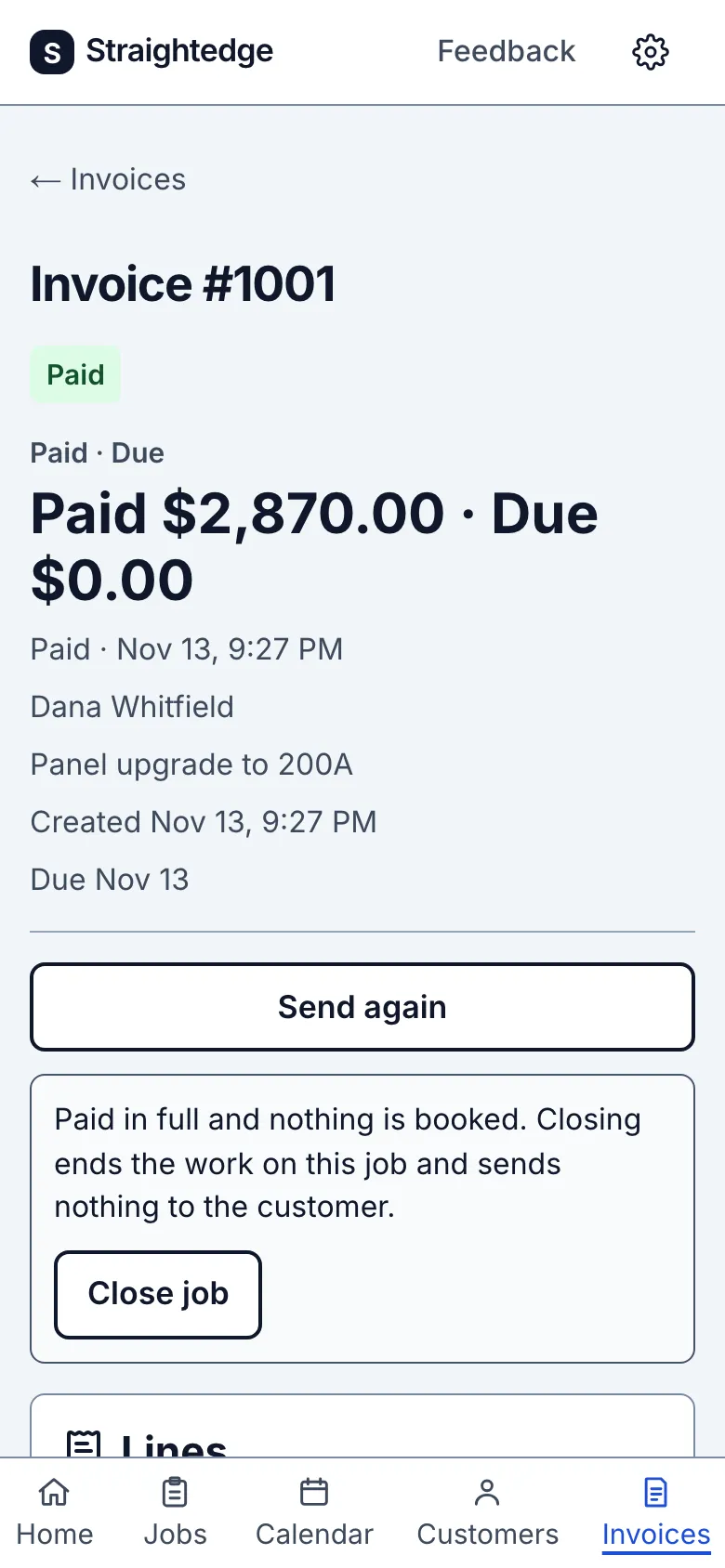
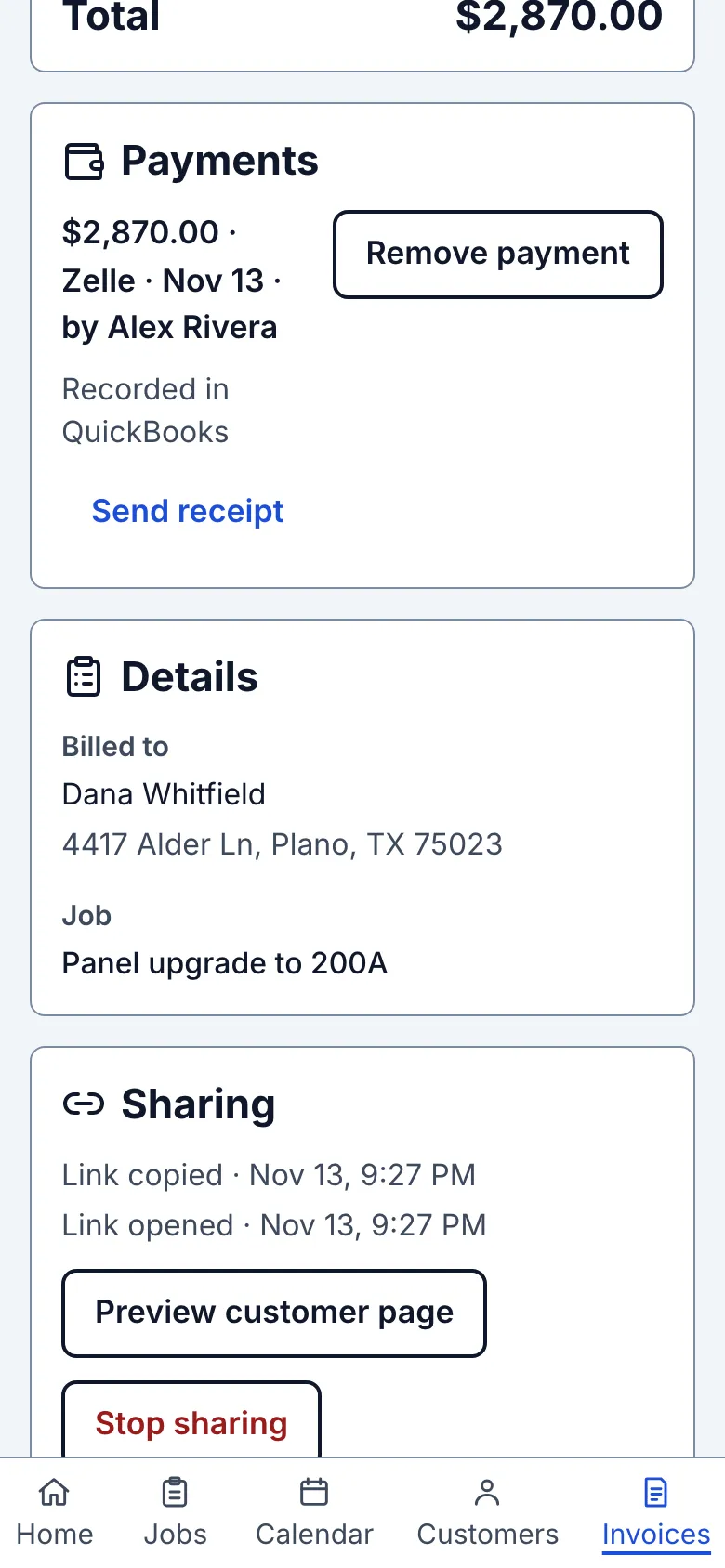
A Payment recorded notice confirms the amount and method on the invoice. The Payments list holds the receipt. A full payment makes the invoice Paid; a part payment leaves the rest due. Recording payment does not close the job. When nothing is booked or awaiting an estimate decision, Close job is offered separately.
Limits
You cannot record more than the amount due or a future payment date. Online payments from the customer link record themselves; see When a customer pays online. Recording cash or another manual payment closes any open online checkout reservation first; a late card success is kept as an overpayment for the owner to refund in Stripe. A mistaken entry is corrected with Remove payment; in QuickBooks it voids that one linked Payment record. QuickBooks takes a reference of up to 21 characters; a longer one appears in full in the QuickBooks payment's memo, with a short Straightedge reference starting "SE" in its reference number.
When it goes wrong
If the review says "Payment not confirmed," tap Check invoice before retrying. If QuickBooks says the payment was not recorded, use Retry QuickBooks on its payment row. A duplicate-name customer in QuickBooks can stop sync; rename one there and retry.
Online refunds are recorded on their payment row and leave invoice amounts unchanged. Do not record a negative manual payment for one. Lost disputes and returned bank payments restore due automatically; record a replacement payment only when it is actually received. See When a customer pays online.
Still stuck? Email support@getstraightedge.com