Send an invoice
Who can do it
Owners.
1. Open the Send page
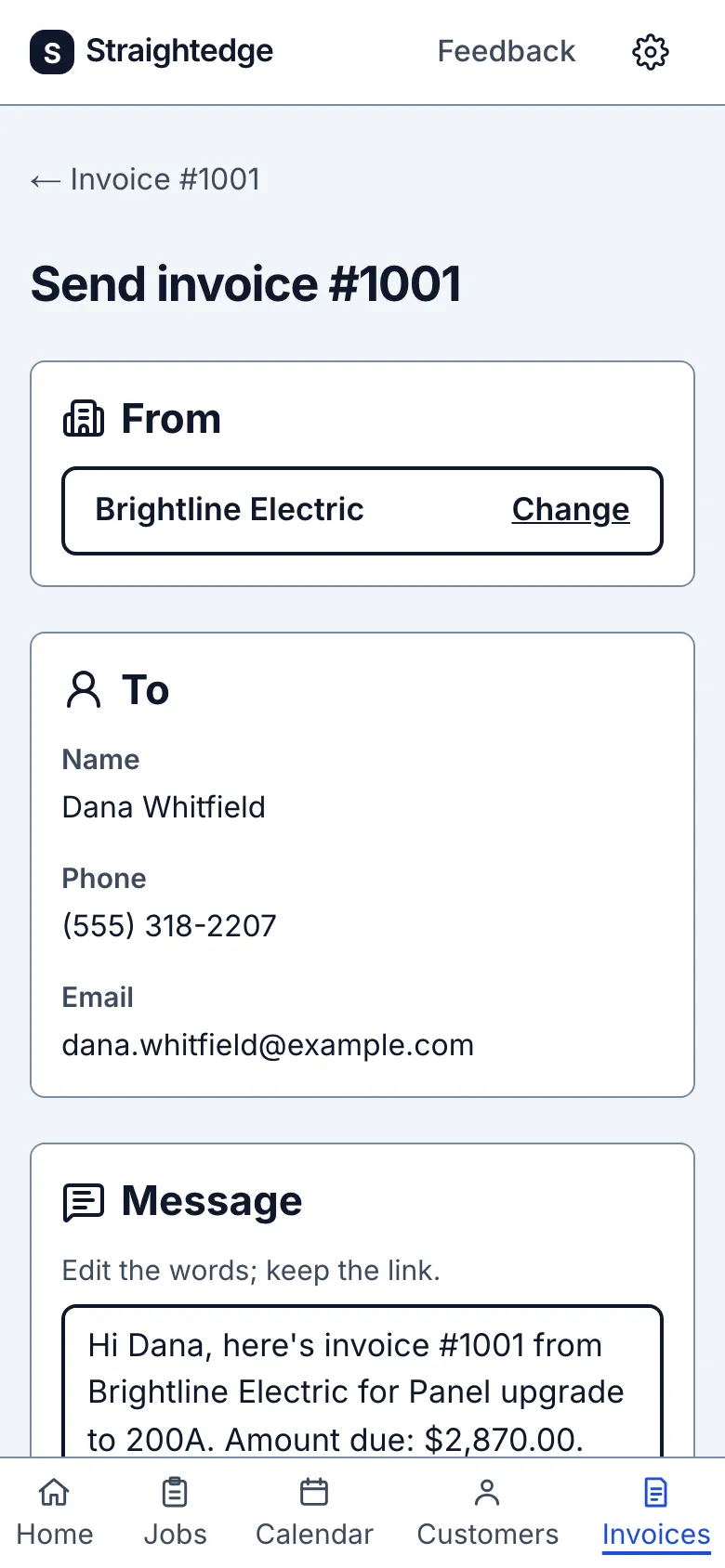
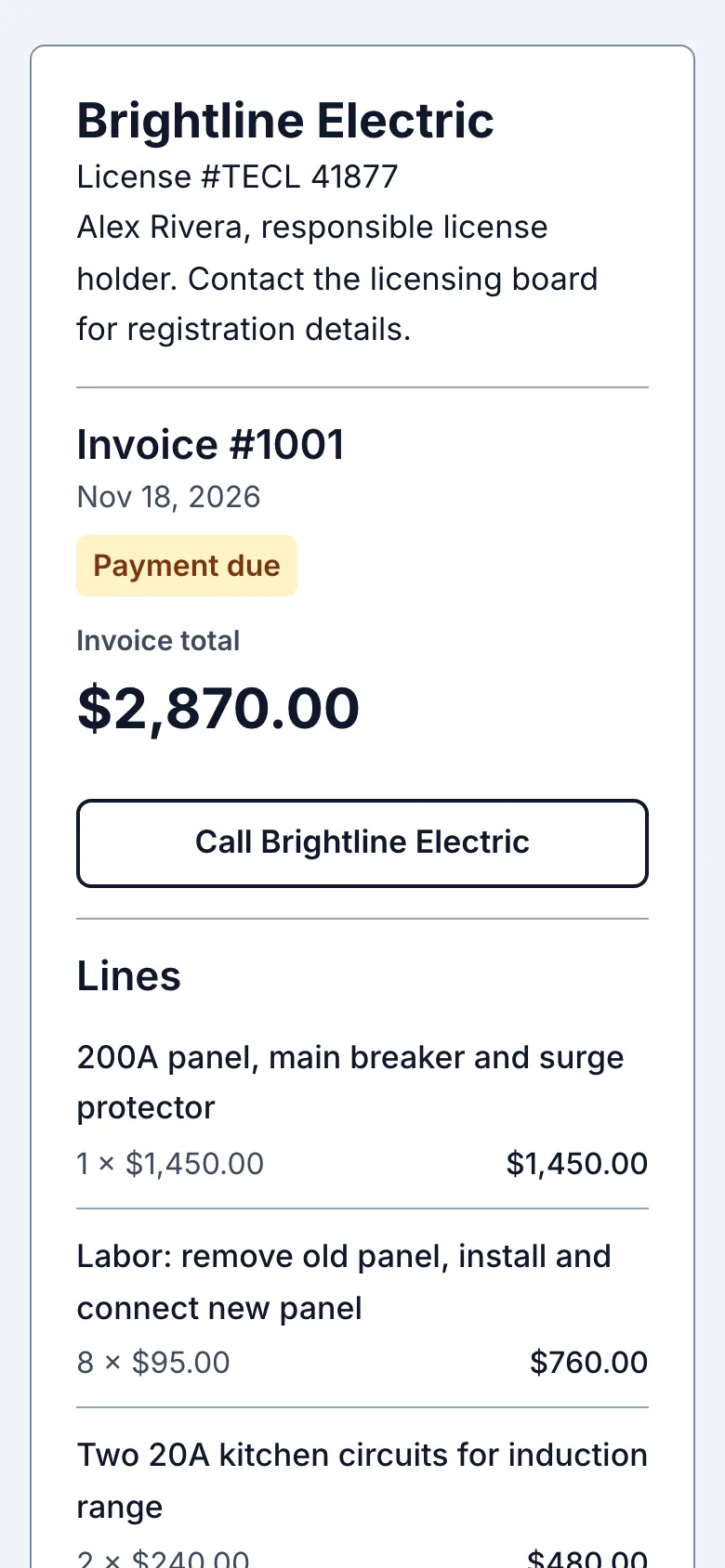
On the invoice, tap Send to customer. The page prepares a message with a private link. Check the message and your business name before sharing.
2. Choose how to share
Save the business name under From once before using a channel; Change edits it here and Settings changes it later. Text appears only when the customer has a phone saved and is filled; otherwise Email is filled when a usable email is saved. Its address appears in full below Email. If neither contact is usable, Add one in To or use Copy link. An unusable saved email remains visible in To for you to correct. Share… appears only on supported devices. Tap Text, Email, Share… or Copy link. Text and Email open your own phone app; press send there. Copy link lets you paste the link elsewhere. The page says “Messages opened. Tap Send there.”, “Mail opened. Tap Send there.”, “Share sheet opened. Finish sending there.”, or “Link copied. Paste it into your message and send it.” Straightedge records the option you used, not delivery.
3. Paid on the spot
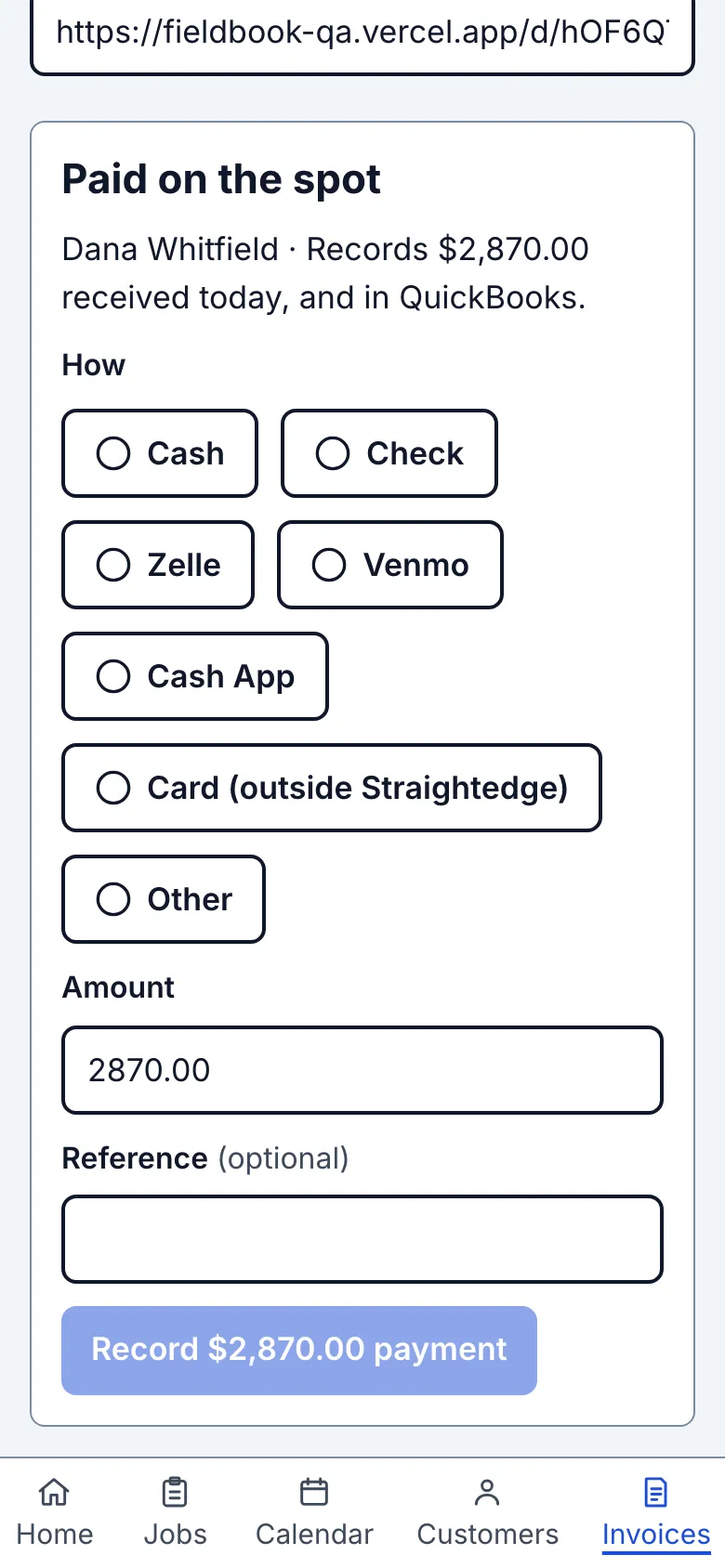
If the customer has already paid, use the Paid on the spot card beneath the message. Choose a How chip, check the due-filled Amount, add an optional reference, then tap Record followed by the amount and method shown on the button. The card then shows Paid. Recording does not send a receipt: tap Text or Email above afterward. When everything is paid and nothing is booked, it also offers Close job.
What you see after
The sharing area records the chosen send option. After a full payment, the invoice says Paid and the same link shows the updated balance.
Limits
Straightedge does not send the text or email for you and cannot confirm delivery. When online payments are on, Let the customer pay part of this invoice on this page overrides the business default. It starts off unless the business default is on. When it is on, the invoice link also shows Pay a different amount: the customer pays some now, the rest stays due, and they can pay it later from the same link. See Record a payment for money you collected yourself or a different date.
When it goes wrong
If the card says "Already recorded on another device," tap Check the invoice. before trying again. If the share app does not open, use Copy link and paste it in your usual app.
Still stuck? Email support@getstraightedge.com