When a customer pays online
Who can do it
Owners. Every owner of the business gets the payment emails. They come from Straightedge at noreply@getstraightedge.com. Replying reaches Straightedge support at support@getstraightedge.com.
A payment made with Stripe Link shows as "Stripe Link", including in QuickBooks. The customer's invoice link calls it "Link".
Before you start
Customers can pay online once you get paid online and turn on online payments. The customer pays from the invoice link; see what the customer sees. You don't record these payments yourself: Straightedge records them when Stripe confirms them.
1. Open the invoice from the email
Each owner gets an email when an online payment changes. The subject names the amount, the invoice number and the customer:
- Payment received · $650.00 · Card · Invoice #1002 · Marcus Chen: the money arrived. A part payment adds what is still due.
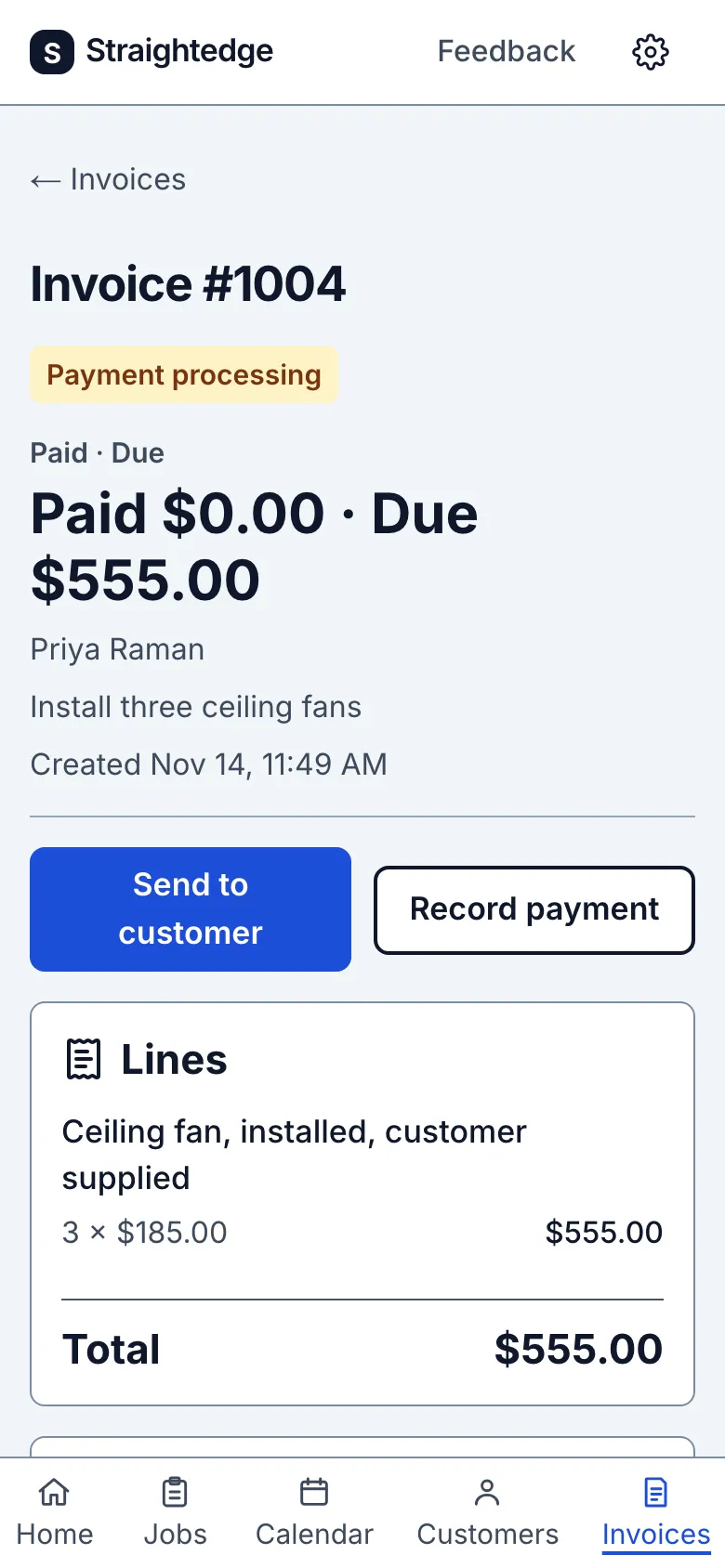
- Bank payment processing: the customer paid by bank transfer and the bank has not confirmed it yet, usually about four business days.
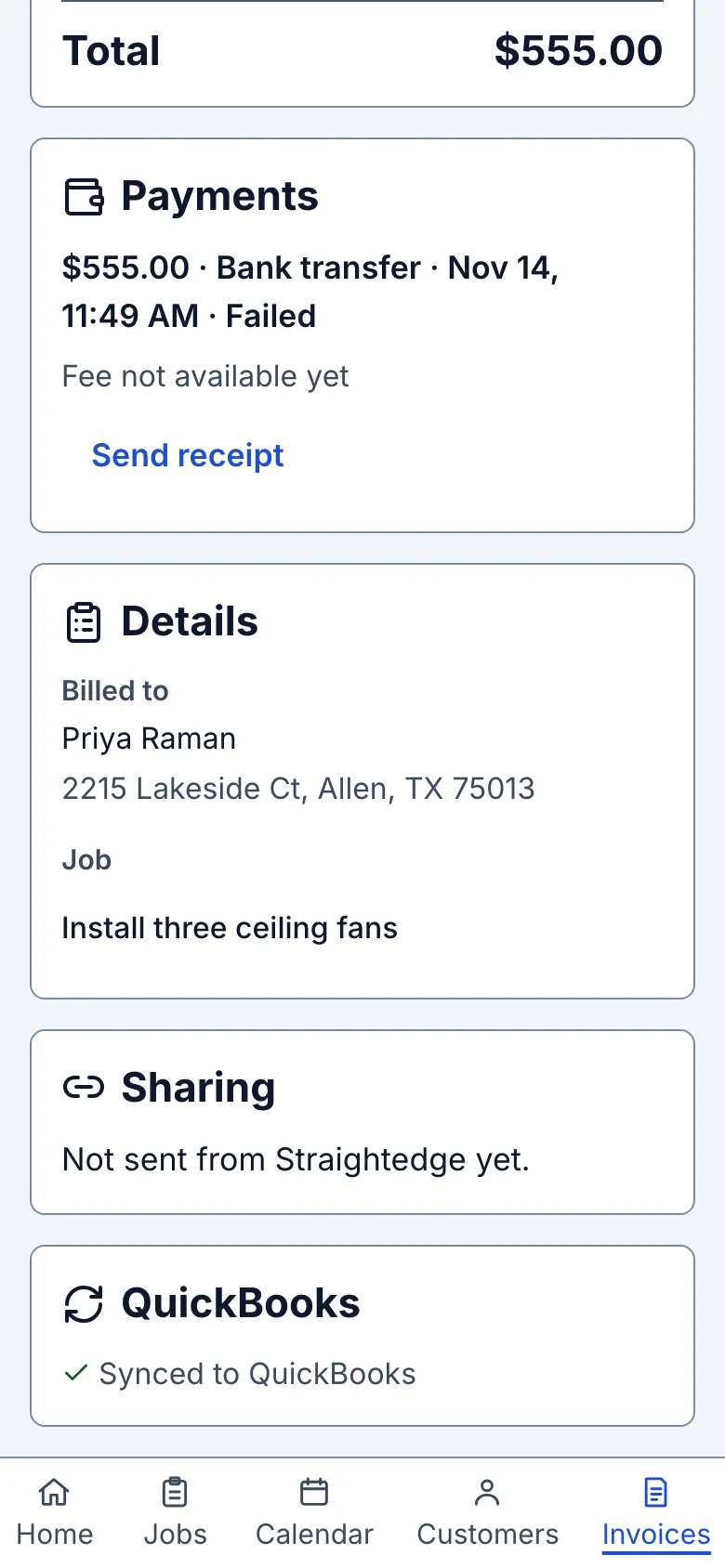
- Bank payment failed: the bank transfer did not go through, and the amount is due again.
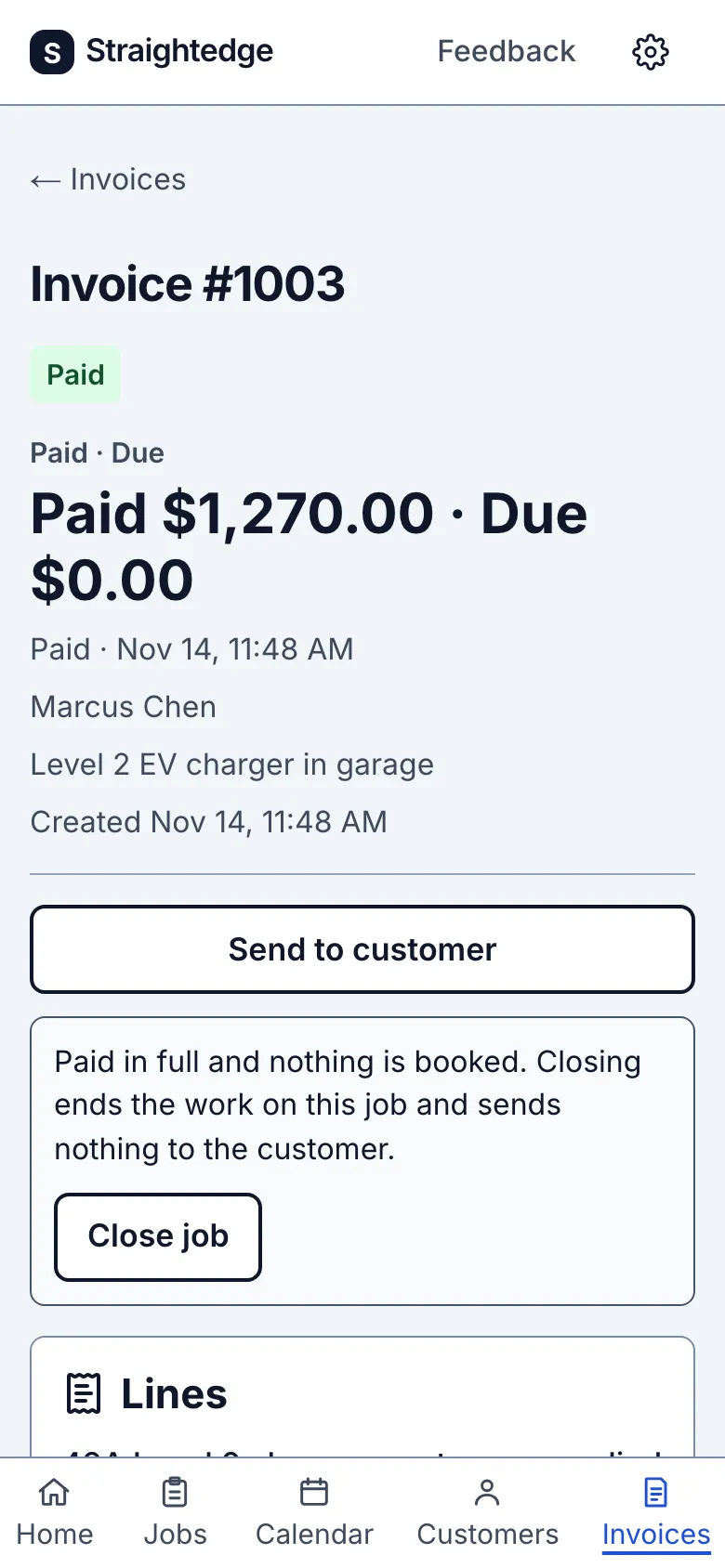
The email links to the invoice. You can also open it from Invoices. A full payment shows Paid at the top. While a bank payment is in flight, the top shows Payment processing and the Paid and Due amounts don't count it yet.
2. Read the payment row
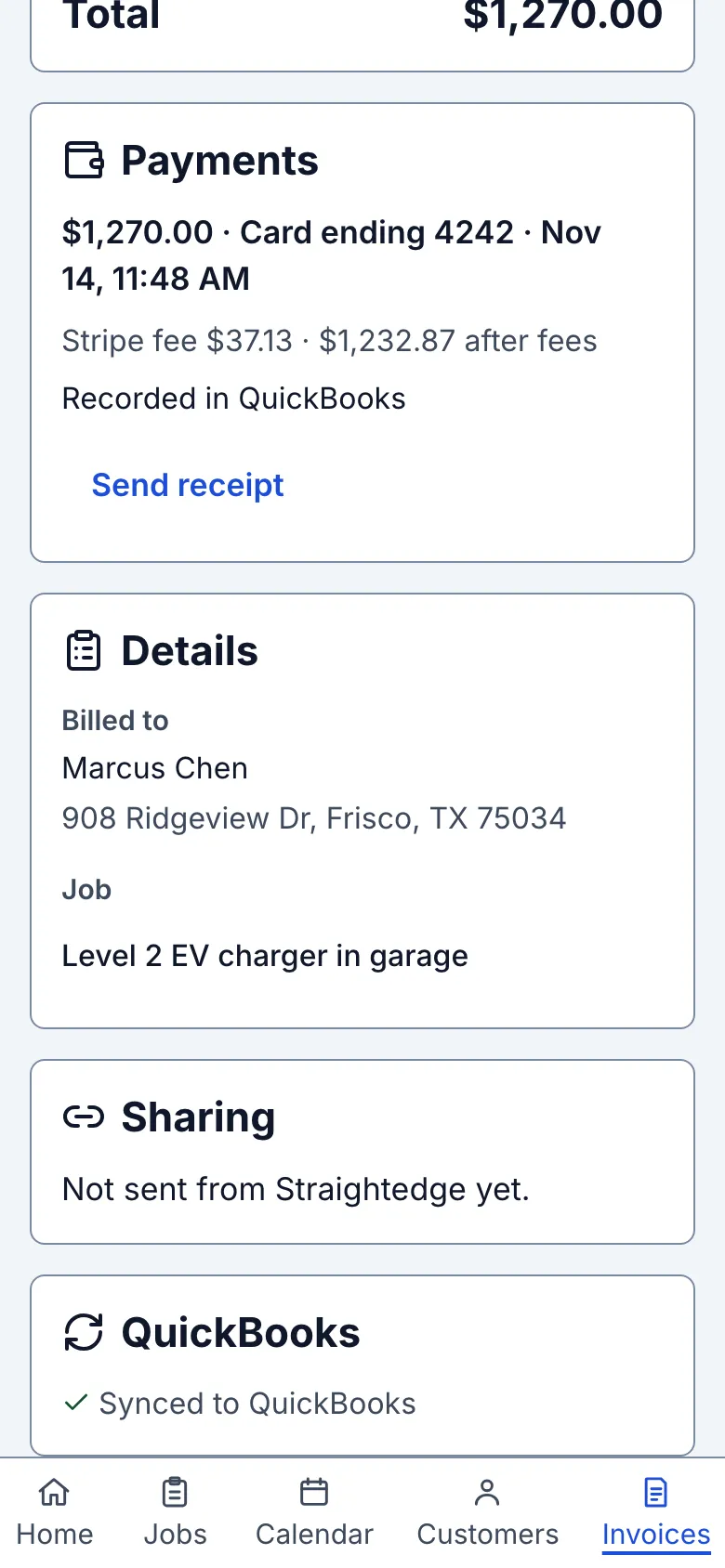
Under Payments, an online payment shows the amount, how it was paid and the date and time: "$650.00 · Card ending 4242 · Nov 11, 2:14 PM" for a card or wallet, or "Bank transfer" for a bank payment. A row ending in Processing is a bank payment waiting for the bank; Failed means it did not go through; Overpayment means the customer paid more than was due.
The fee line says “Stripe fee $0.33 · $0.67 after fees”. “Fee not available yet” means Stripe has not attached its fee yet; it can take up to an hour.
Refunds made in Stripe show “Refund pending”, “Refunded $200 · Nov 13”, or “Refund failed · refund again in Stripe”. A failed refund did not reach the customer: refund again in Stripe. A successful refund keeps the invoice Paid and its amount due unchanged, so the customer is not asked to repay money you just returned. The header includes the refunded amount, and the customer's link shows the refund and date. Stripe keeps its original fee; the row says how much when known.
An open dispute or card issuer inquiry says when to respond in Stripe. It leaves the invoice paid. A won dispute or closed inquiry changes nothing. A lost dispute restores the amount due and pauses automatic reminders on that invoice; you decide whether to contact the customer, and Send still works. A bank payment returned after it cleared restores the amount due with normal reminder rules. The customer sees the returned amount/date and Pay again. Customers never see card disputes or their reasons.
If an appeal wins, the original reversal is restored only when the whole amount still fits. If another payment already filled the balance, the row says “Won on appeal · refund the extra in Stripe”; refund the extra there. A row with both a refund and dispute says to check Stripe. Nothing in this flow automatically changes QuickBooks.
3. Send a receipt if you want one
Stripe already emails the customer a receipt for an online payment, and the customer's link offers it too. To send your own receipt as well, tap Send receipt under the payment.
4. Record it in QuickBooks
QuickBooks keeps the gross payment when it has received it. Straightedge does not automatically create credits or reverse payments for a refund, lost dispute or bank return. A full reversal before an unsynced payment was sent cancels that delivery, so there is nothing to reverse there. Partial reversals still send the original gross payment. An overpayment was never counted or sent.
When a payment needs a hand-off, its row says “Record this in QuickBooks · How”. For a refund, follow Intuit's paid-invoice refund instructions: create a credit memo from the invoice, create an Expense to the customer's Accounts Receivable, then Receive payment to link the credit memo and expense. Do not also create a RefundReceipt for the same refund.
For a lost dispute or bank return, follow Intuit's returned-payment instructions: use Bank transactions with the customer and Accounts Receivable, then edit the payment to reopen the invoice.
After completing those steps in QuickBooks, tap Done in QuickBooks on the payment row. It records your name and date; it does not edit QuickBooks. It is hidden while this business is read-only. If saving fails, try the button again; it is safe to repeat.
What you see after
For methods other than bank transfer, a processing or failed payment says "Online payment processing" or "Online payment failed" in the email and job activity.
When QuickBooks is connected, Straightedge sends a successful online payment to QuickBooks by itself, within about 15 minutes; you don't need to open the invoice. Until then the row says Waiting to send to QuickBooks, and afterwards Recorded in QuickBooks. The invoice must be in QuickBooks first: until it is, the row says “Waiting: this invoice isn't in QuickBooks yet. This payment is sent by itself once the invoice is.” Use Go to QuickBooks section, then Send to QuickBooks (or Retry sync) to send the invoice. A processing or failed bank payment is never sent. The job's activity shows the payment too.
Limits
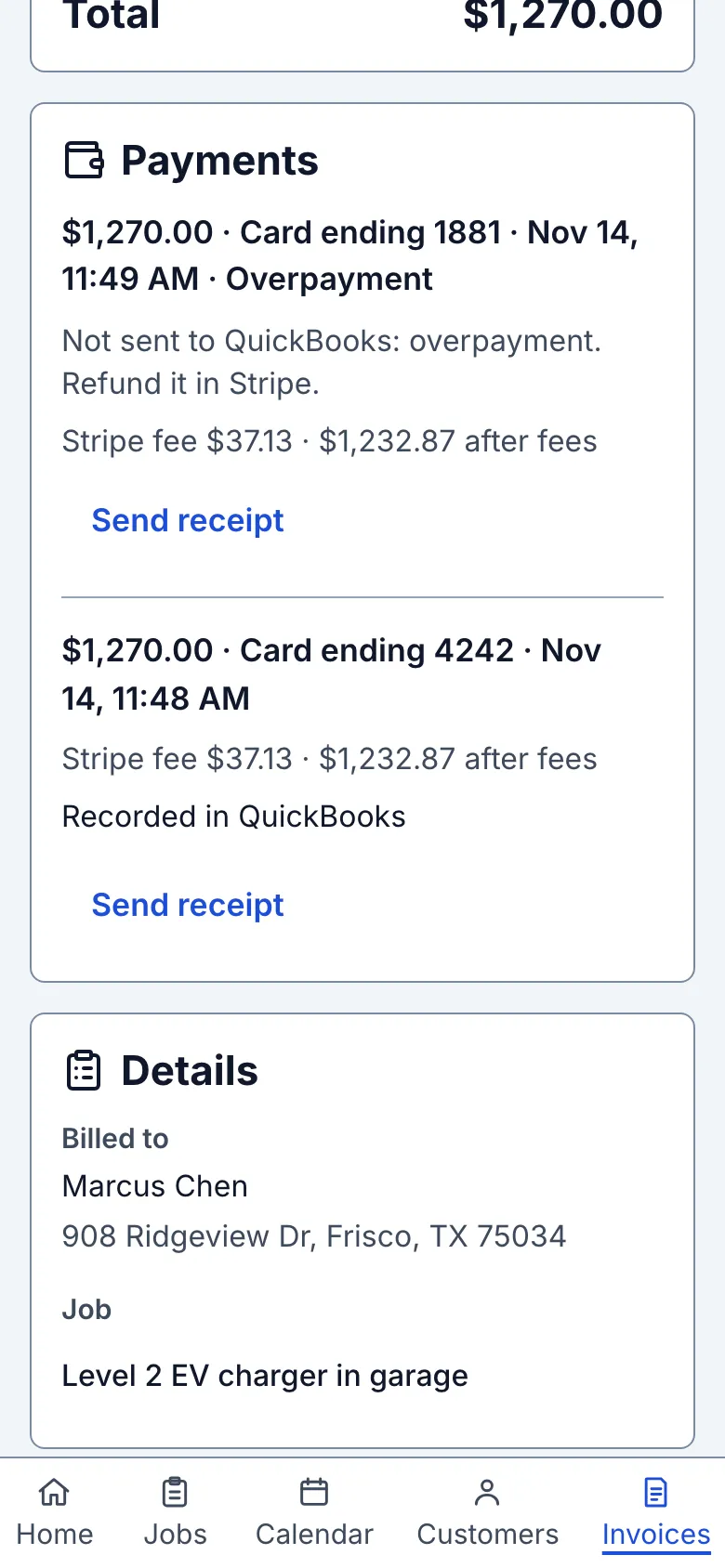
An online payment cannot be removed: Remove payment only appears on payments you recorded. Refunds and disputes are handled in your Stripe Dashboard, and the invoice keeps showing Paid after a refund. QuickBooks also keeps the payment until you or your bookkeeper correct it there. Stripe keeps its fee from the original payment when you refund, so a refunded $650 card payment still costs about $19.15 in fees. An overpayment is not added to the invoice or sent to QuickBooks; its row says Not sent to QuickBooks: overpayment. Refund it in Stripe. Refund the extra from your Stripe Dashboard.
While a bank payment is processing, you can record a payment only for the rest of the amount due, and the invoice cannot be voided.
When it goes wrong
- How do I know a customer paid online? Can I refund it? Every owner gets an email and the payment appears under Payments on the invoice. Refunds are made in your Stripe Dashboard; the invoice keeps showing Paid.
- A bank payment failed. The amount is due again and the customer's link offers Pay again. Ask the customer to pay another way or try again.
- The row says Not sent to QuickBooks. The customer's payment went through; only the QuickBooks record needs attention. Read the reason on the row, fix it in QuickBooks if it asks you to, then tap Retry. If you already entered this payment in QuickBooks yourself, tap Already in QuickBooks. See Check sync.
- The customer paid twice. The second payment shows Overpayment. Refund it in Stripe.
- I got no email. Check spam for mail from noreply@getstraightedge.com. The invoice shows the payment either way.
Still stuck? Email support@getstraightedge.com