Remove a payment
Who can do it
Owners.
A payment made with Stripe Link shows as "Stripe Link", including in QuickBooks. The customer's invoice link calls it "Link".
1. Choose the payment
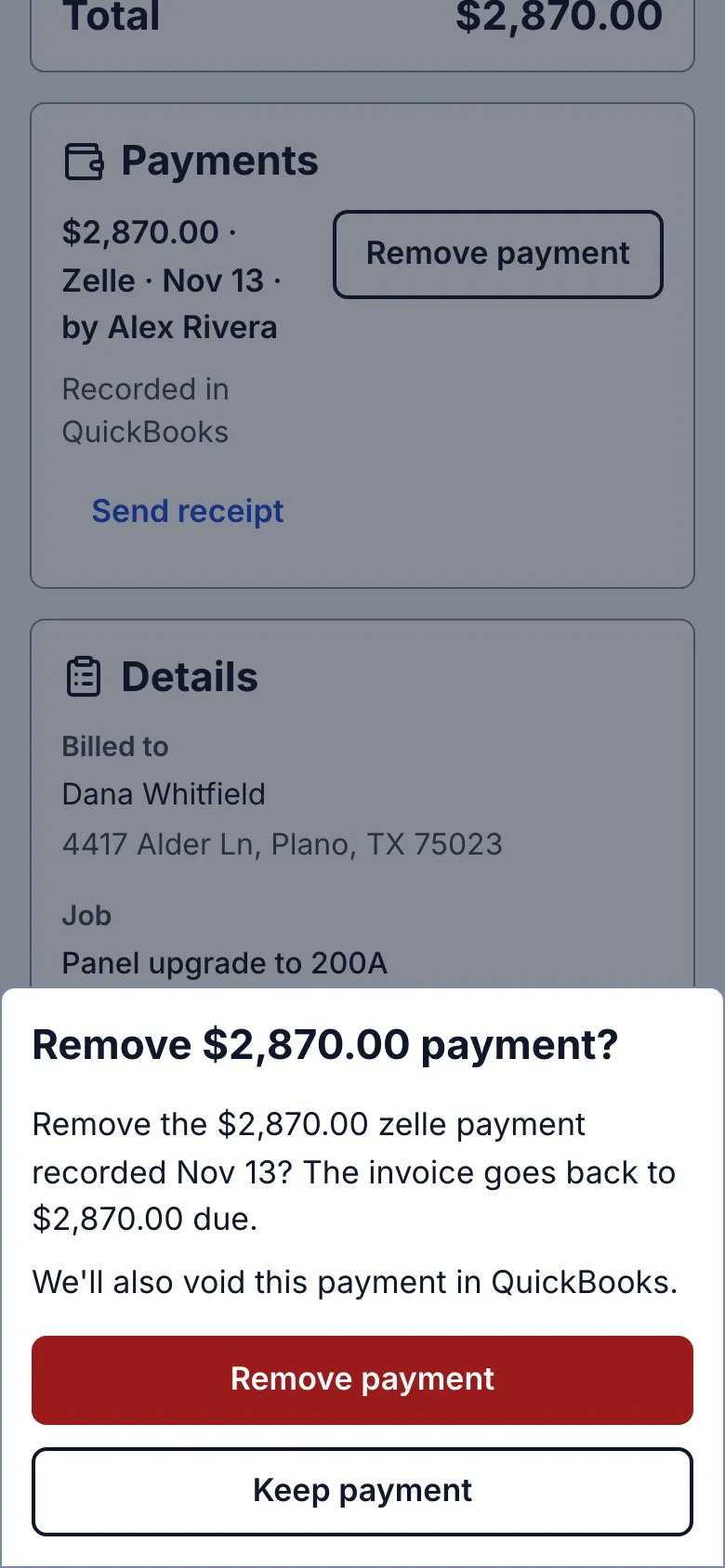
Open the invoice's Payments list and tap Remove payment on the mistaken entry. Only payments you recorded have it; a payment the customer made online does not.
2. Review and remove
The review names its amount and the restored balance. Tap Remove payment to confirm, or Keep payment to leave it alone. When connected, Straightedge also attempts to void that payment in QuickBooks.
What you see after
The row says Removed and the amount due rises. If the balance is no longer zero, the invoice returns to the unpaid list.
Limits
Only payments you recorded can be removed. A payment the customer made online through Stripe has no Remove payment: refund it in your Stripe Dashboard. The invoice still shows Paid after a refund; see When a customer pays online. This reverses one payment row; it does not void the invoice. If a QuickBooks bank deposit already contains the payment, remove it in QuickBooks or ask your bookkeeper, then use Check again here. New recording waits until QuickBooks confirms the removal.
When it goes wrong
If the row says Remove this payment in QuickBooks, correct it there, then tap Check again. If removal is not confirmed, use Check invoice before retrying.
- I recorded a payment by mistake. Can I undo it? Yes. Remove that payment from the invoice. If it already reached a QuickBooks bank deposit, remove it there and use Check again.
- There is no Remove payment on a card or bank transfer payment. The customer paid it online. Refund it in your Stripe Dashboard instead.
Refunds made in Stripe appear on the original online payment row without restoring the amount due. If the customer still owes the refunded amount, record that change by hand until in-app refunds are available. Lost disputes and bank returns have their own recorded reversal; do not remove a separate payment to imitate it. See When a customer pays online.
Still stuck? Email support@getstraightedge.com