What the customer sees on an invoice link
Who can do it
The customer, from the link; the owner records the result.
A payment made with Stripe Link shows as "Stripe Link", including in QuickBooks. The customer's invoice link calls it "Link".
1. Open the link
After the lines and totals the customer sees Notes, then Terms and warranty, then any Photos. Empty text blocks are absent. Wording is shown whole with line breaks and wrapping, without links or Markdown formatting. The invoice's text stays as saved; payment instructions and license identity follow the owner's current Settings. Pay stays under the total.
With a sales tax rate, each ticked line with an amount says Taxable beside its quantity and price. Beneath the rate name, the invoice shows what it was charged on, for example 9.5% of $380.00. A $0.00 line shows no word. If no lines are ticked, the rate row stays with $0.00 tax; choose No tax when making the invoice to leave out the row.
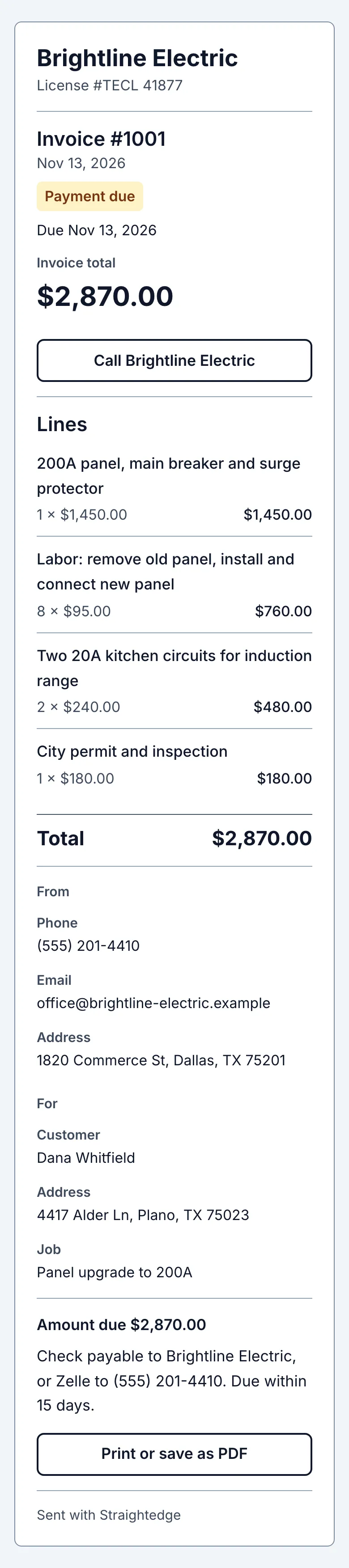
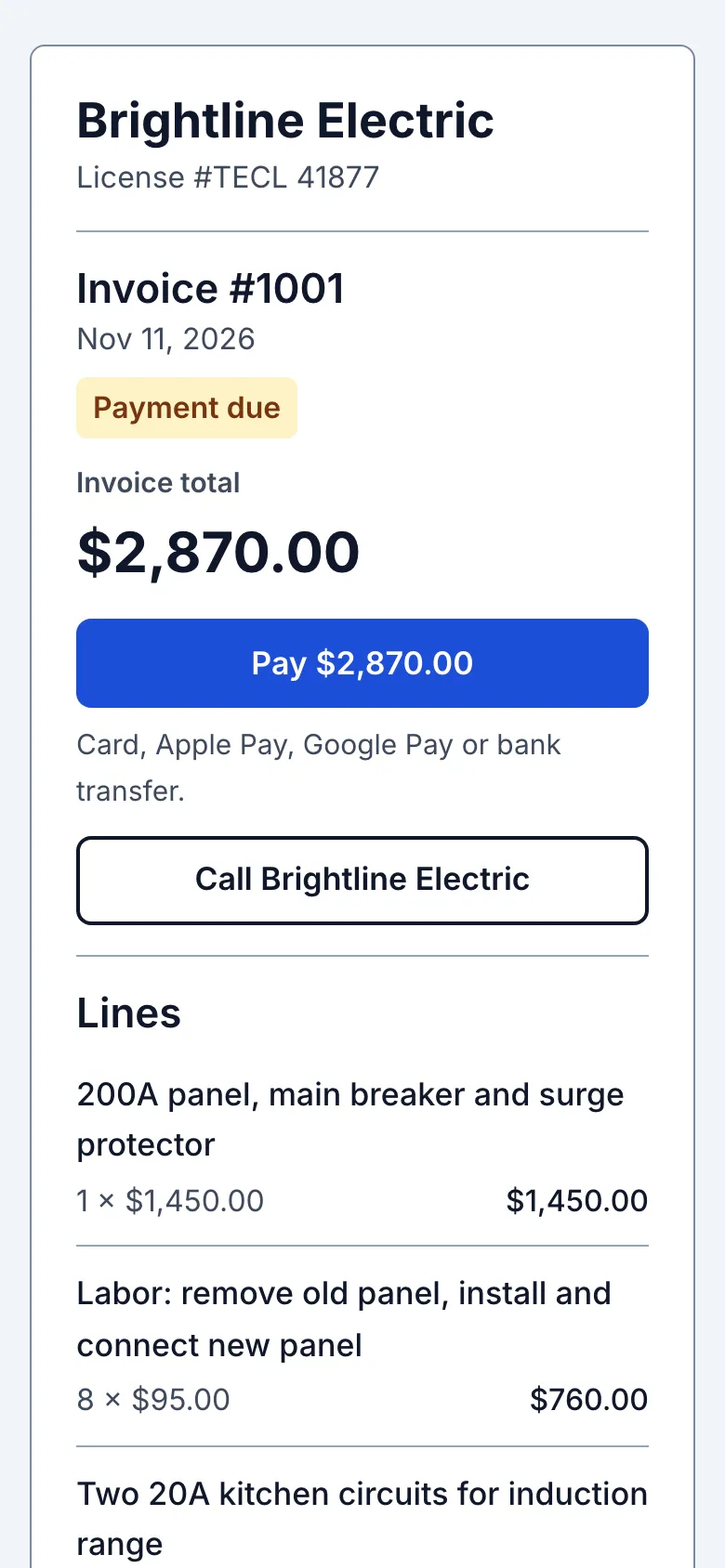
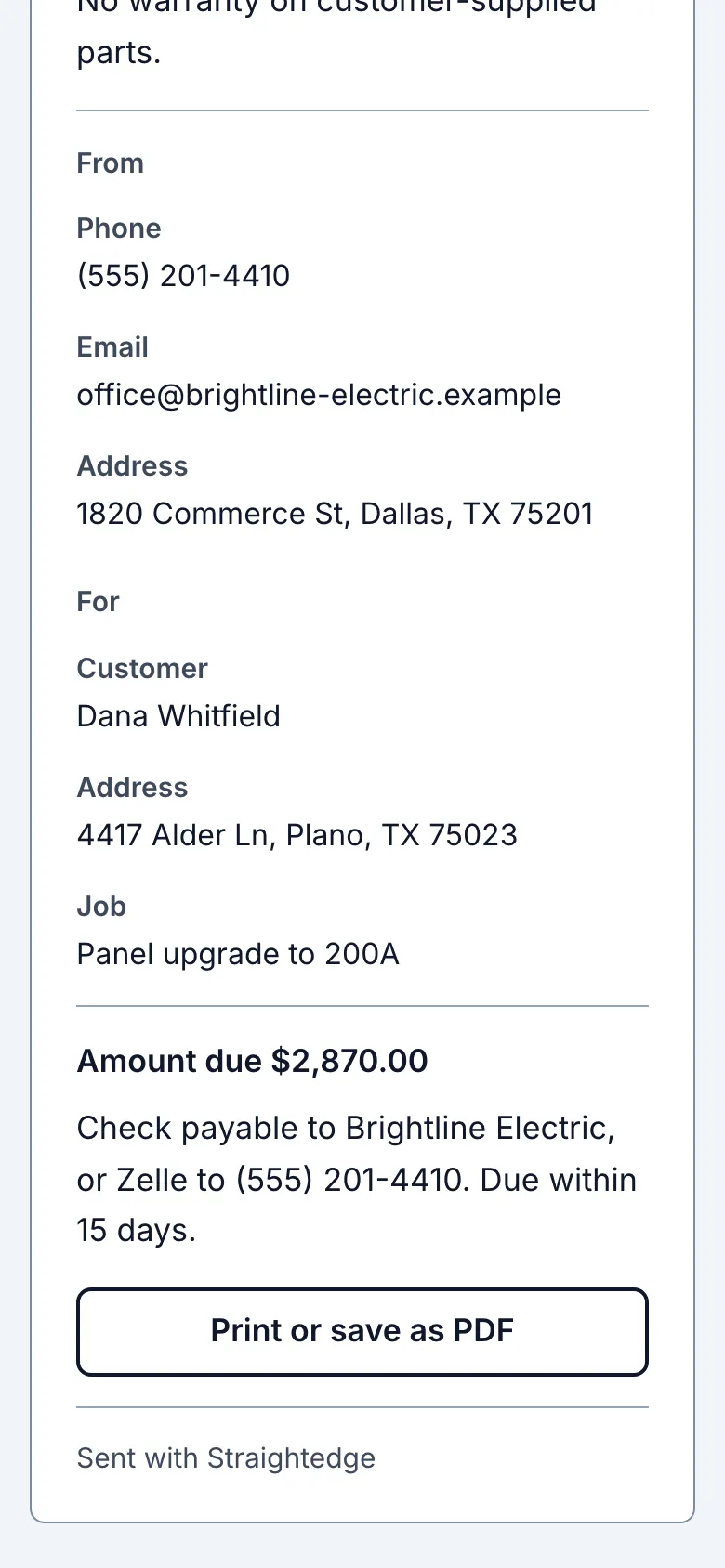
The customer opens the link you shared. The invoice shows Payment due, its lines and amount. When online payments are on, Pay with the amount appears under the total, followed by card, wallet and bank options in Stripe Checkout. Your instructions appear under Other ways to pay.
2. Check the updated balance
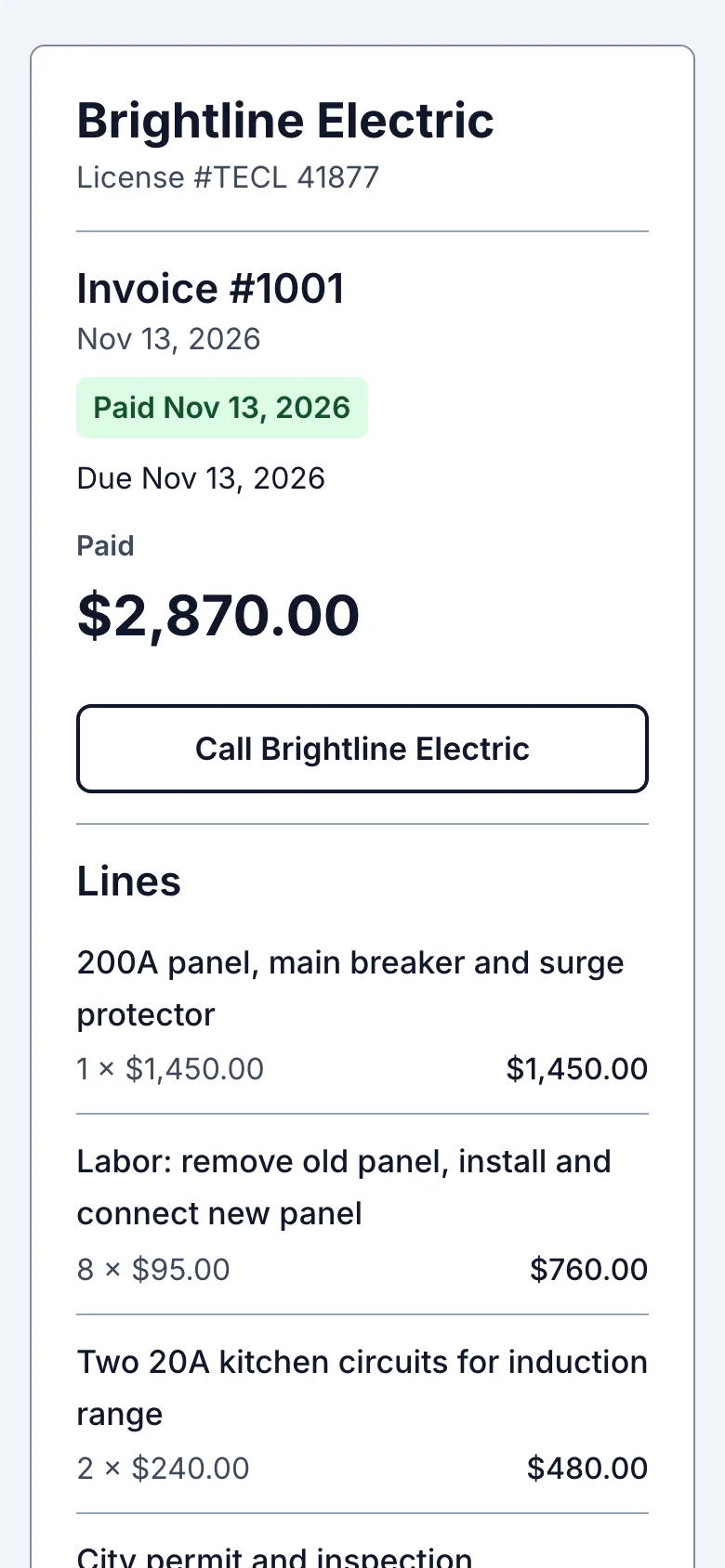
After a payment, the customer returns to the same link. A successful online payment shows Paid and View receipt. A bank transfer shows bank payment processing until Stripe confirms it, usually about four business days. A part payment leaves the rest due and keeps Pay available. A manual payment recorded by the owner updates the link too. What the owner sees is on When a customer pays online.
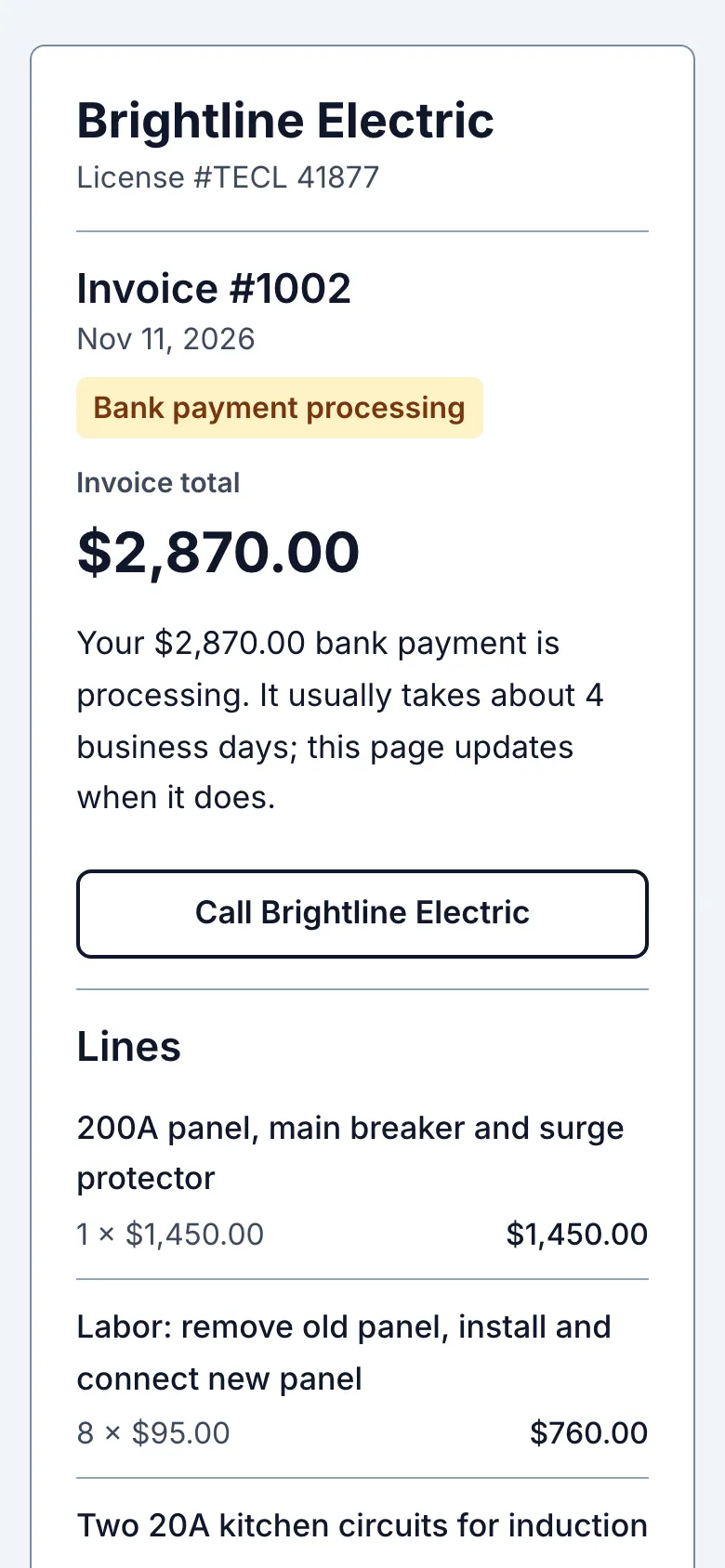
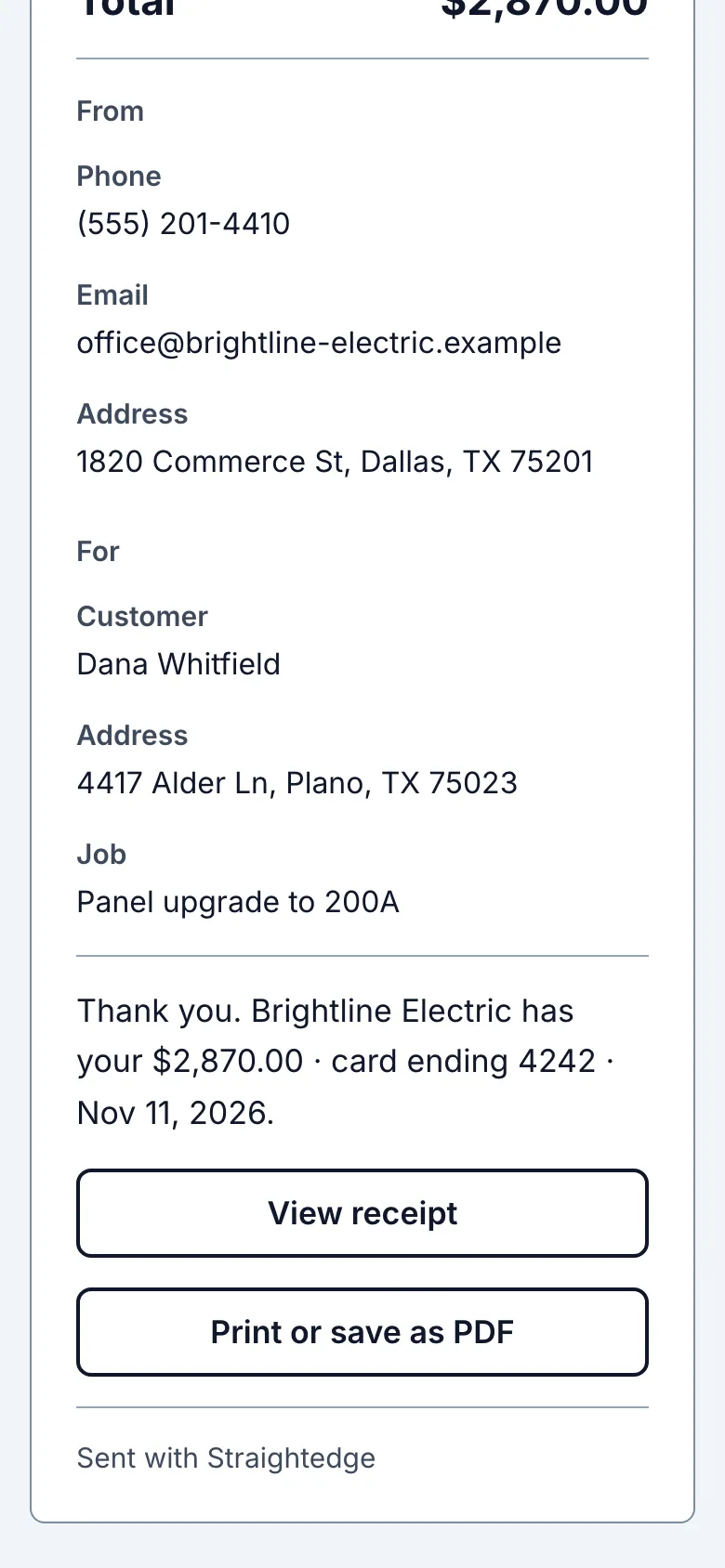
What you see after
The link reflects the invoice's current Paid or Payment due state. A voided invoice shows Voided.
Limits
Anyone with the link can view it. The owner can use Stop sharing on the invoice page to turn off the link. If a customer leaves Checkout, Pay reopens that attempt; using Stripe's back link cancels it and restores the full balance. When the full balance exceeds the online payment limit, the page points to Other ways to pay; a part payment remains available if the owner allows it. When online payments are off, the customer pays you directly and you record it. If you void the invoice, tell the customer yourself.
When it goes wrong
If a link is unavailable, ask the owner for a current link. A voided invoice no longer asks for payment.
- What if payment fails? The page says what is known and offers Pay again. A bank payment that fails restores the amount due. A refund made in Stripe shows under Paid as "Refunded $X · date"; the invoice still says Paid.
- Can customers pay by card? Yes, when the business has turned on online payments. The link opens Stripe Checkout for card, Apple Pay, Google Pay or bank transfer.
A refunded online payment shows “Refunded $X · date” under Paid, without asking the customer to repay it. A bank payment returned after clearing shows “Your bank returned the payment of $X on date” above Pay, with the amount due again. Disputes, fees, reasons and QuickBooks details are never shown to the customer.
Still stuck? Email support@getstraightedge.com